Amaia Cuida Product Design
Redesigning a care ecosystem without stopping its growth
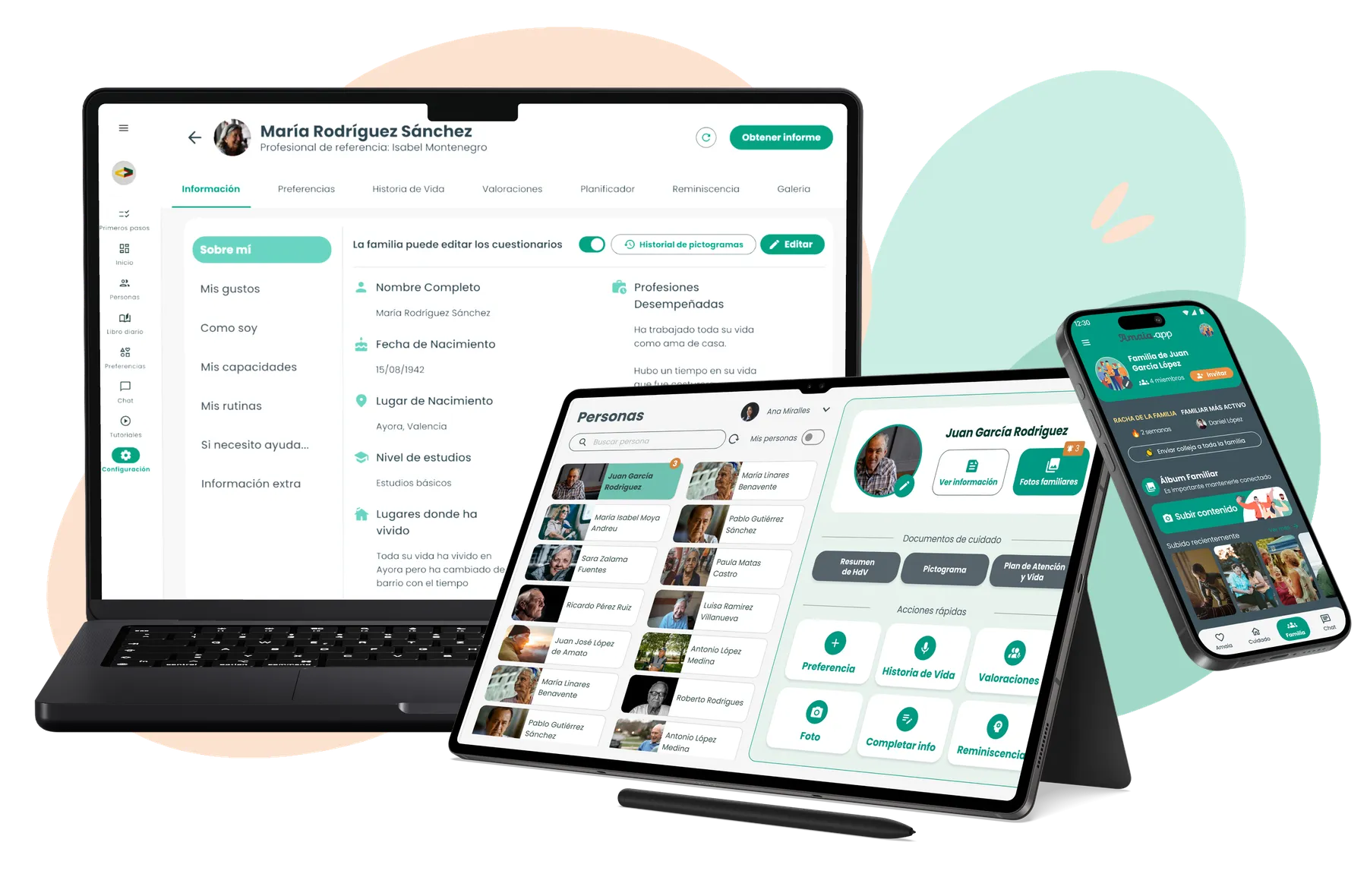
For two years I worked as the sole Product Designer on the evolution of Amaia Cuida, a SaaS ecosystem made up of three connected platforms for care home professionals and families.
The challenge wasn’t simply redesigning an interface. The product was growing while real care homes were using it, so the work meant progressively building a more consistent, understandable and scalable foundation without stopping its evolution.
Product screens are shown in their original Spanish.
- My role
- Product Designer UX/UI
- Duration
- 2 years
- 2023–2025
- Team
- CEO, Frontend, Backend and Customer Success
- Products
- 3 platforms
- Amaia Profesionales (web)
- Amaia Conecta (tablet)
- Amaia App (families)
01 The starting point
A product that already worked, but needed a common foundation
When I joined, Amaia was already a product in production and kept adding new features. The most obvious problem was the lack of consistency between screens and flows built at different times.
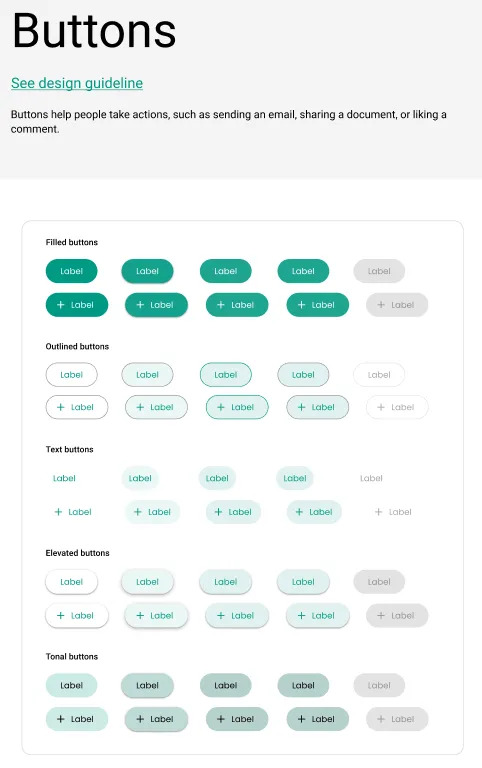
The same action could be represented with buttons of different shapes, colors or styles. Patterns changed between sections, and the interface didn’t always help users understand which elements served equivalent functions.
On top of that, the product was going to grow quickly. Before continuing to add new features, we needed to build a foundation that would let us do so without multiplying those differences.
02 First, bringing consistency
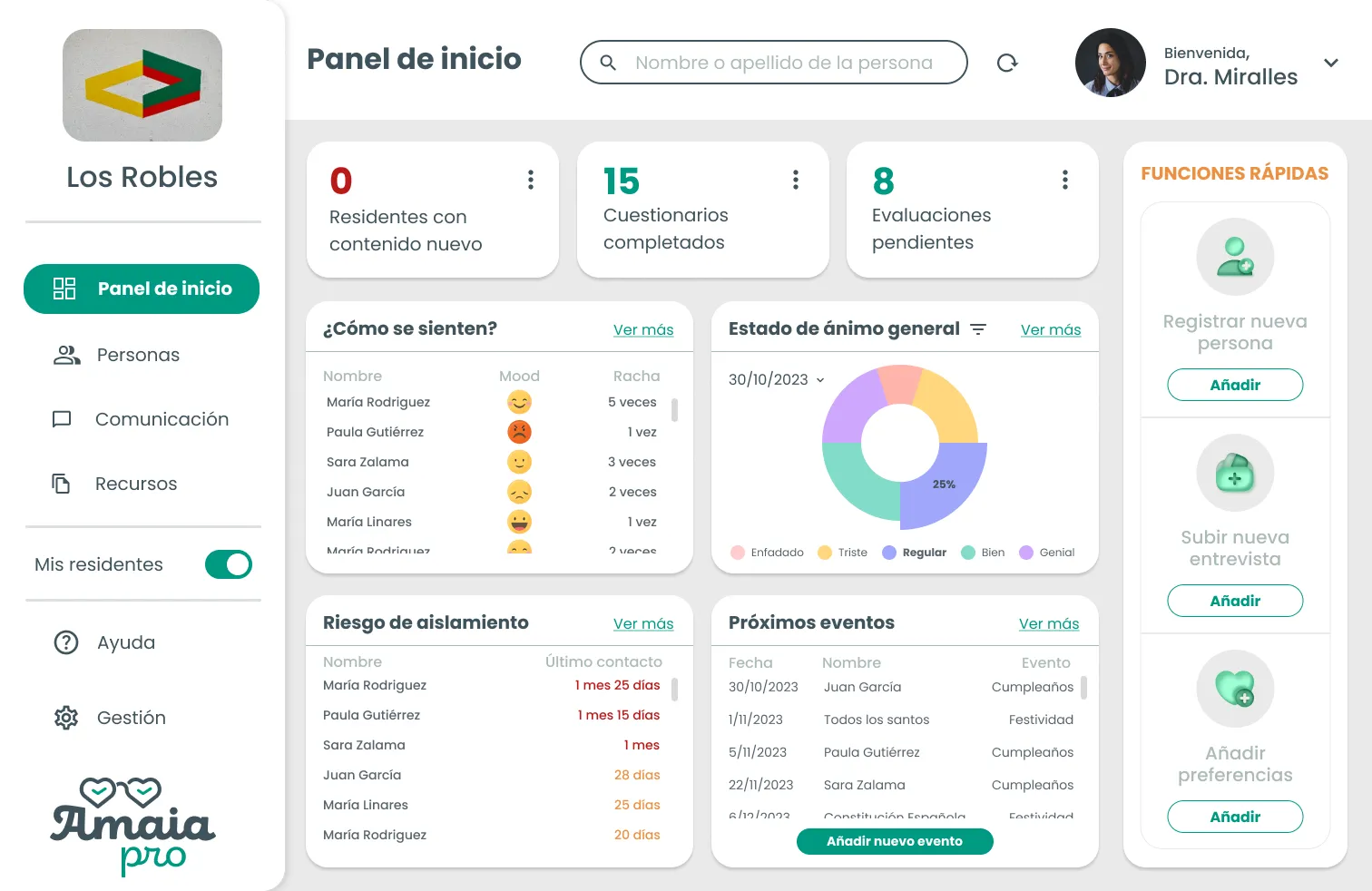
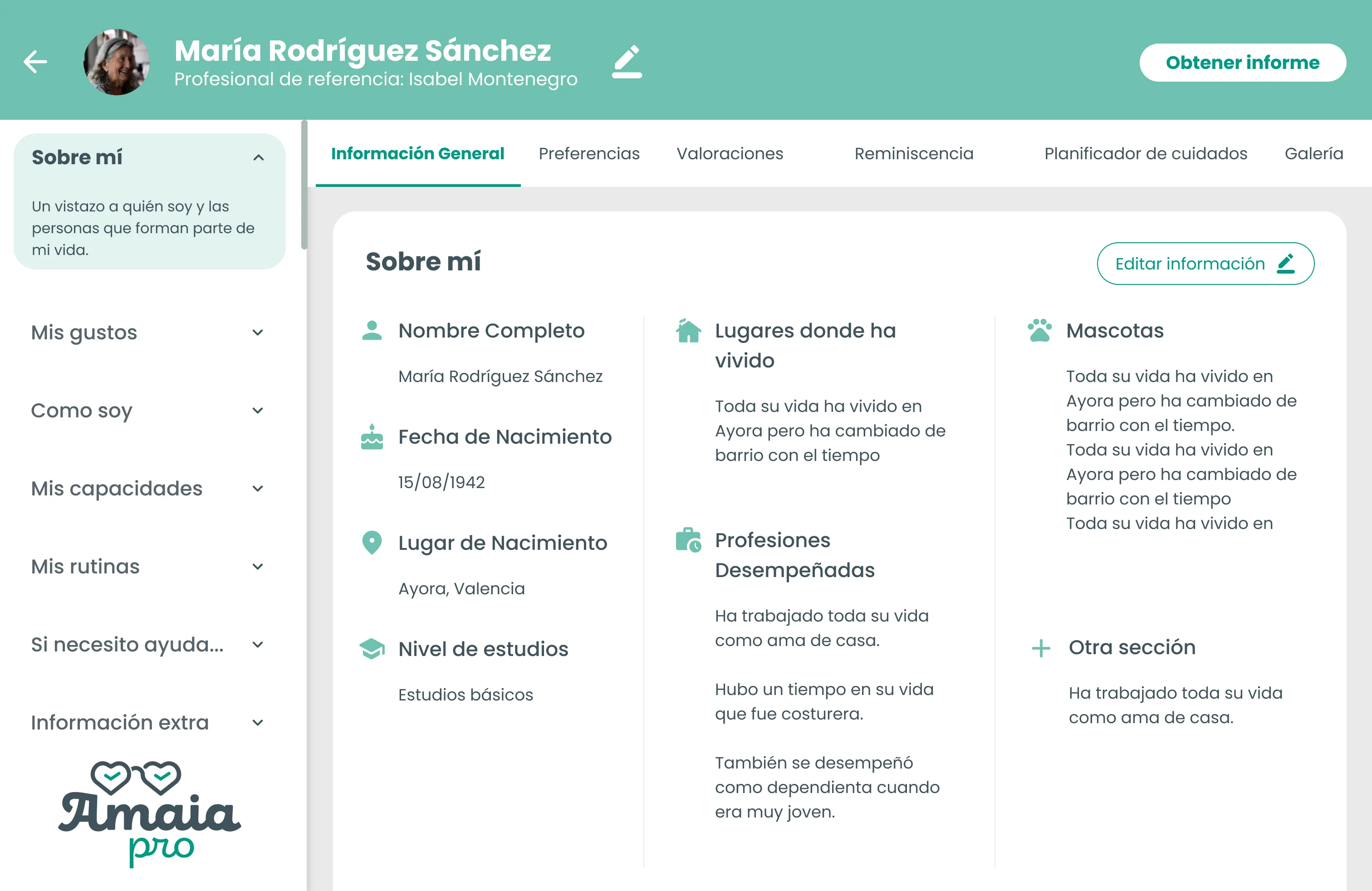
The first layer of the redesign was visual
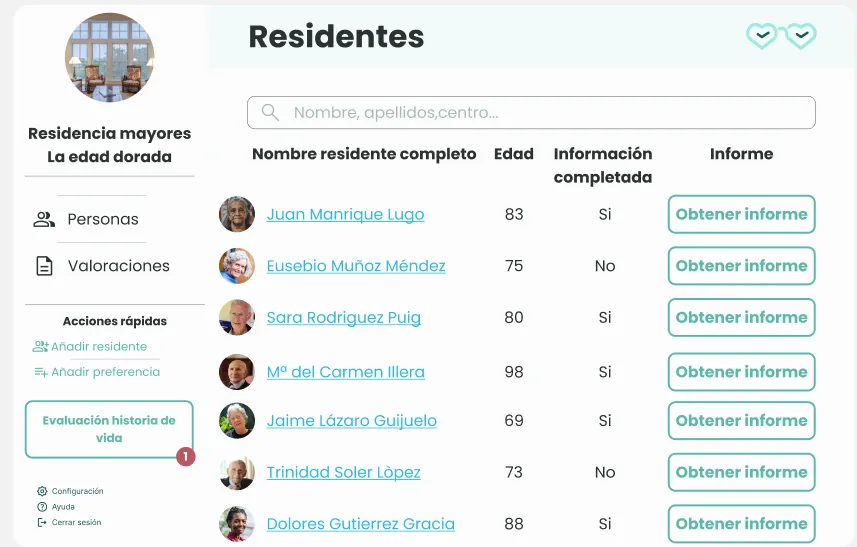
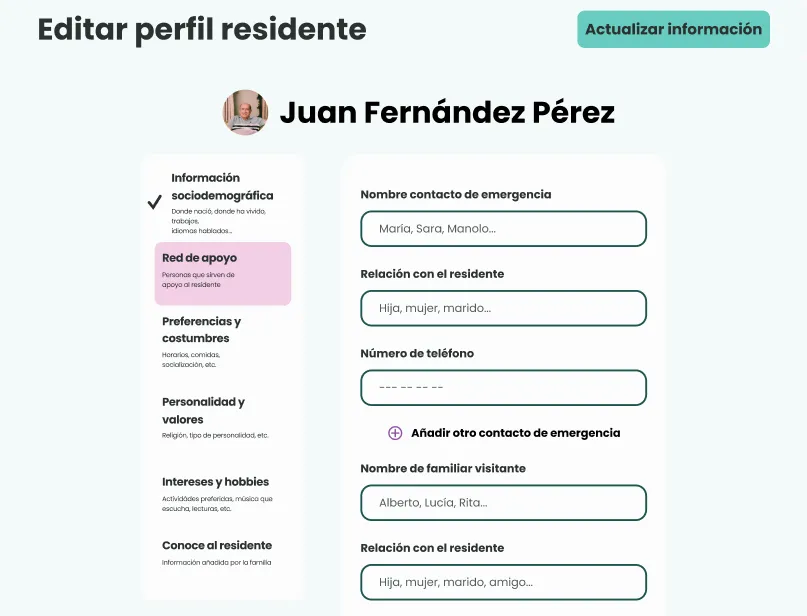
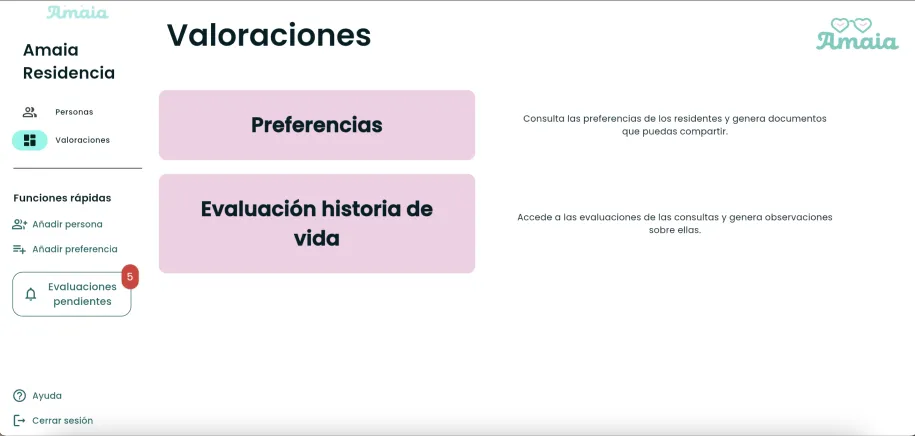
I started with Amaia Profesionales, the main platform and the one that concentrated the most features and client demos.
In this first stage I didn’t try to rethink the whole product architecture. The priority was to fix the most visible inconsistencies and carry Amaia’s identity over into a more coherent interface.
We progressively unified colors, typography, buttons, containers, hierarchies and visual patterns. The structure of many flows stayed as it was: we first needed to stabilize the foundation before intervening more deeply.
First stabilize the interface. Then, progressively improve how it was used.
03 When the product started to grow
Visual consistency was no longer enough
As the product incorporated new features and I understood better how they were used, the work started to go beyond the visual layer.
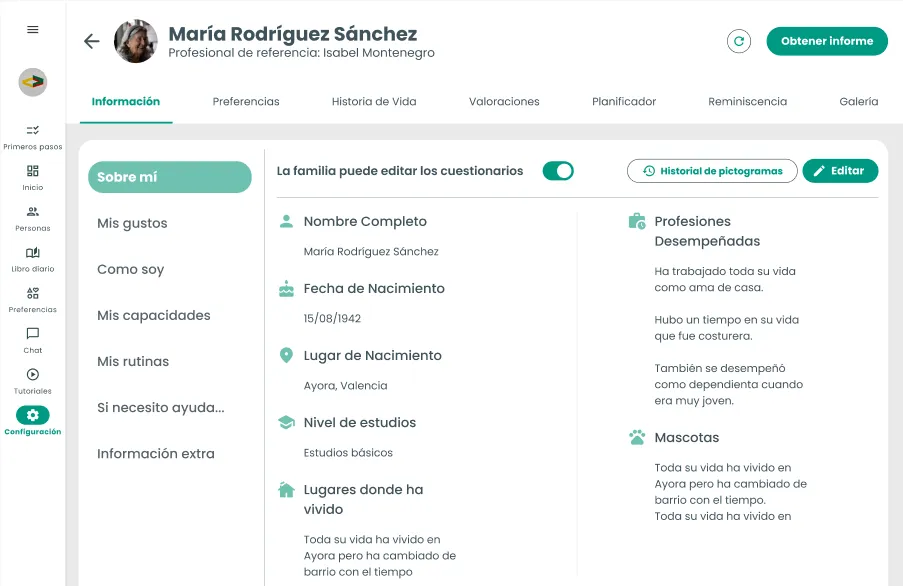
Resident profiles concentrated more and more information: Preferences, Life Story, Assessments, Planner, Reminiscence, Gallery… Keeping the original navigation made it harder to get oriented and move between areas.
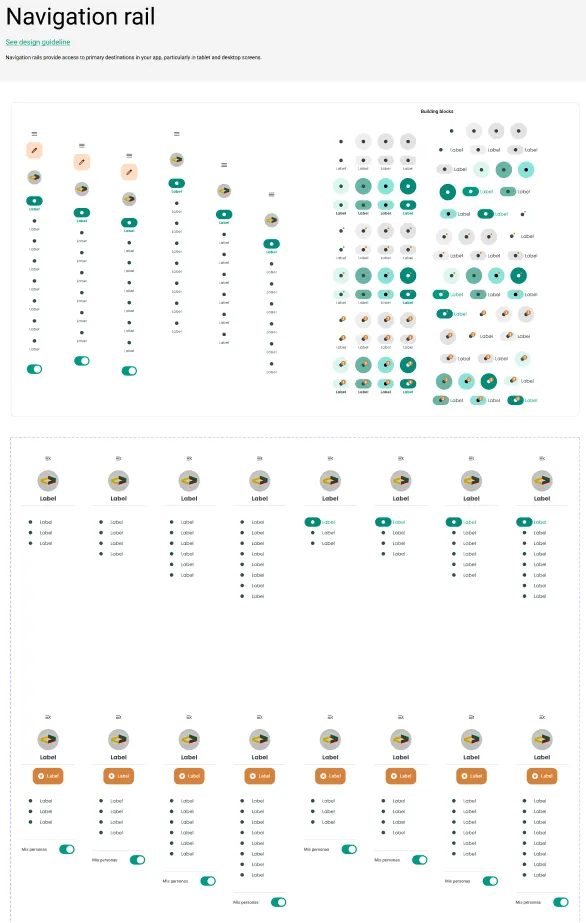
The product’s evolution led us to progressively revise navigation structures and patterns. One of the most important changes was introducing a persistent global navigation that stayed accessible even within a person’s profile.
This way, the professional could move between the product’s main areas without losing track of where they were.
04 Building a shared language
From consistent screens to a shared system
As the product grew, keeping consistency screen by screen stopped being enough. We needed decisions that could be reused.
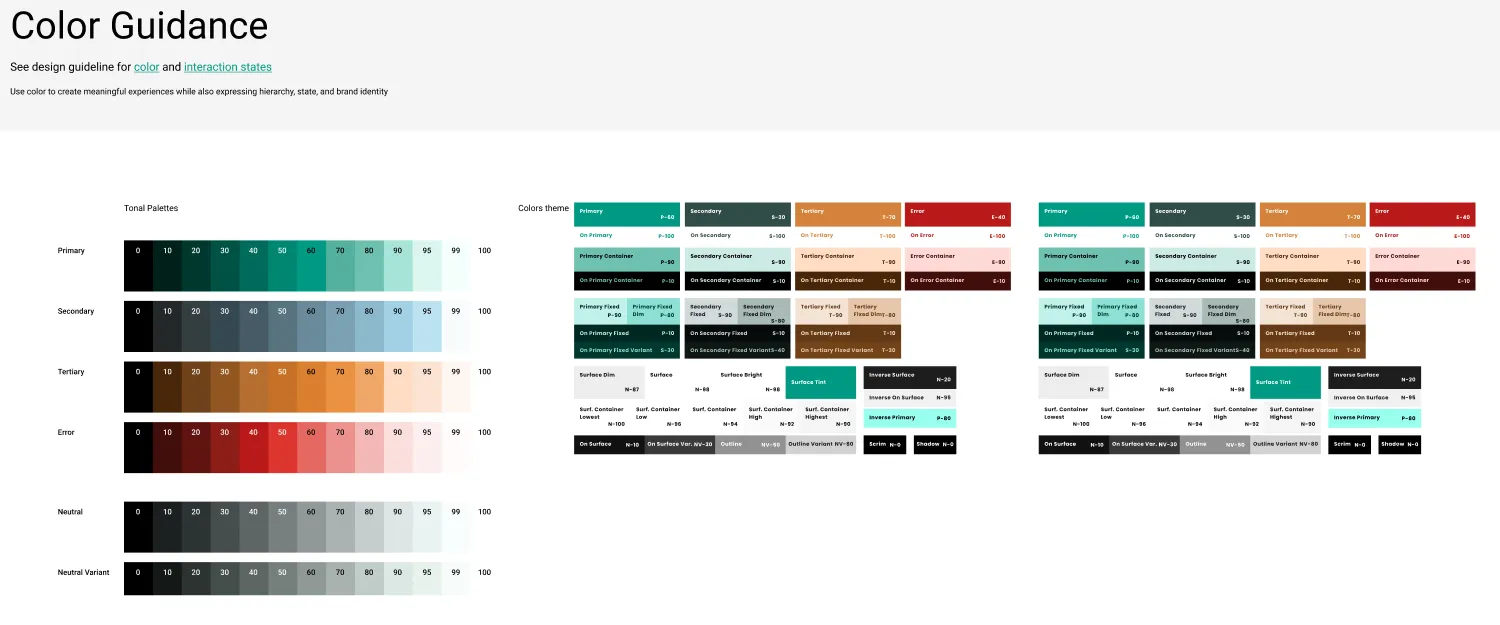
Working directly with frontend, we decided to lean on Material Design and adapt it to Amaia’s identity. I used FlexColorScheme to define the theme and make it easier to translate into Flutter, while building a component library in Figma aligned with that same language.
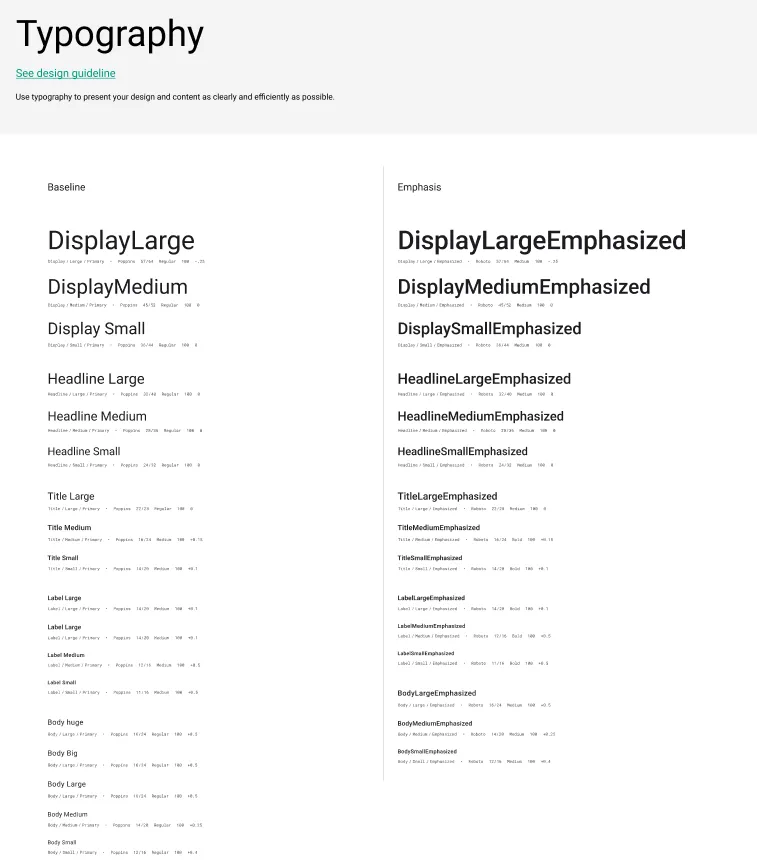
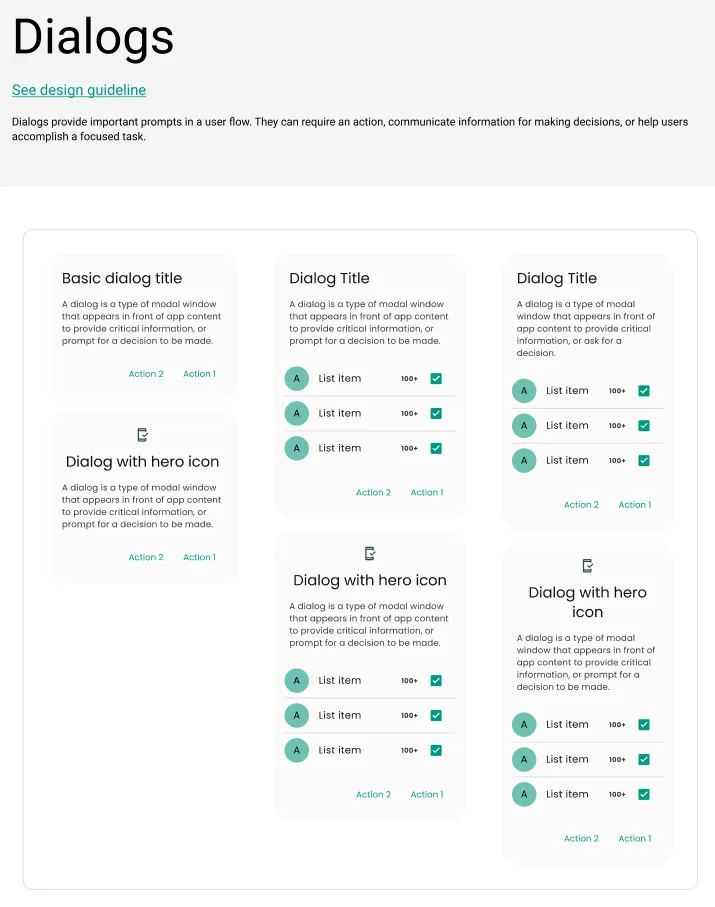
The system grew alongside the product: typography, color, buttons, dialogs, navigation and other components were documented and reused as new needs appeared.
- Material Design
- Amaia System
- Figma y Flutter
Foundations
Components
It wasn't just about everything looking the same
Standardization also affected less visible decisions, like typography.
I didn’t want to define styles only by size or appearance, but also by their function within the interface. A Label, a Body and a Title could share certain visual properties, but they served different functions and had to be used consistently.
The same logic was progressively carried over to components and patterns.
With a more mature system, Figma and Flutter shared a much closer language. We reused components more easily, there were fewer doubts during implementation, and many visual fixes decreased.
But there was an even more important outcome: decisions were starting to no longer depend exclusively on the knowledge that frontend and I had built by working together.
The system made it possible to document and reuse them so other people could keep growing the product.
05 Iterating also meant discarding
More information didn't mean more usefulness
Home was one of the spaces where we could best observe how our understanding of the professionals evolved.
V1 Giving it identity
The first version was shaped by the need to quickly improve the interface. The focus was on carrying Amaia’s identity over into the product and organizing the available information better.
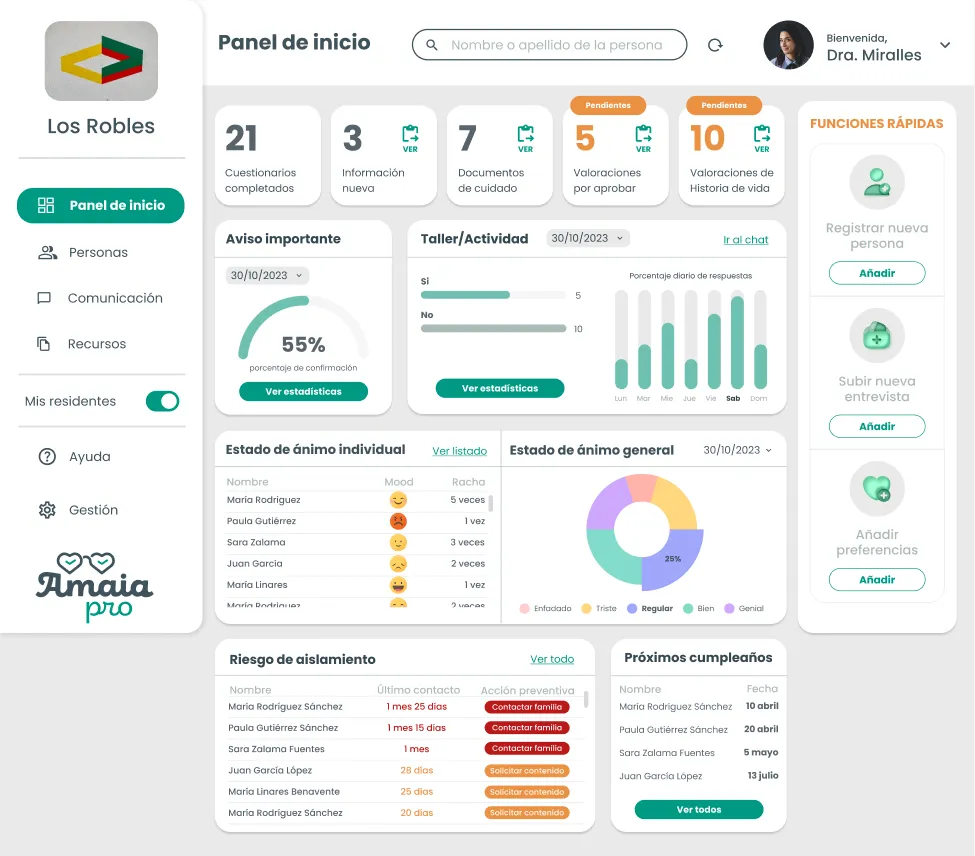
V2 Building a more complete dashboard
As we got to know the product better, we added indicators, statistics, quick access points and data about residents’ status.
The information was much more complete, but another problem appeared: having more data available didn’t necessarily make Home more useful.
Some professionals told us that suddenly facing so many indicators and pending items could feel overwhelming. Some even preferred to avoid that section because they already knew they had many things left unfinished.
V3 From showing information to enabling the next action
In the final iteration we changed the approach.
Instead of using Home mainly to show the product’s status, we organized the information around what could be useful in day-to-day work:
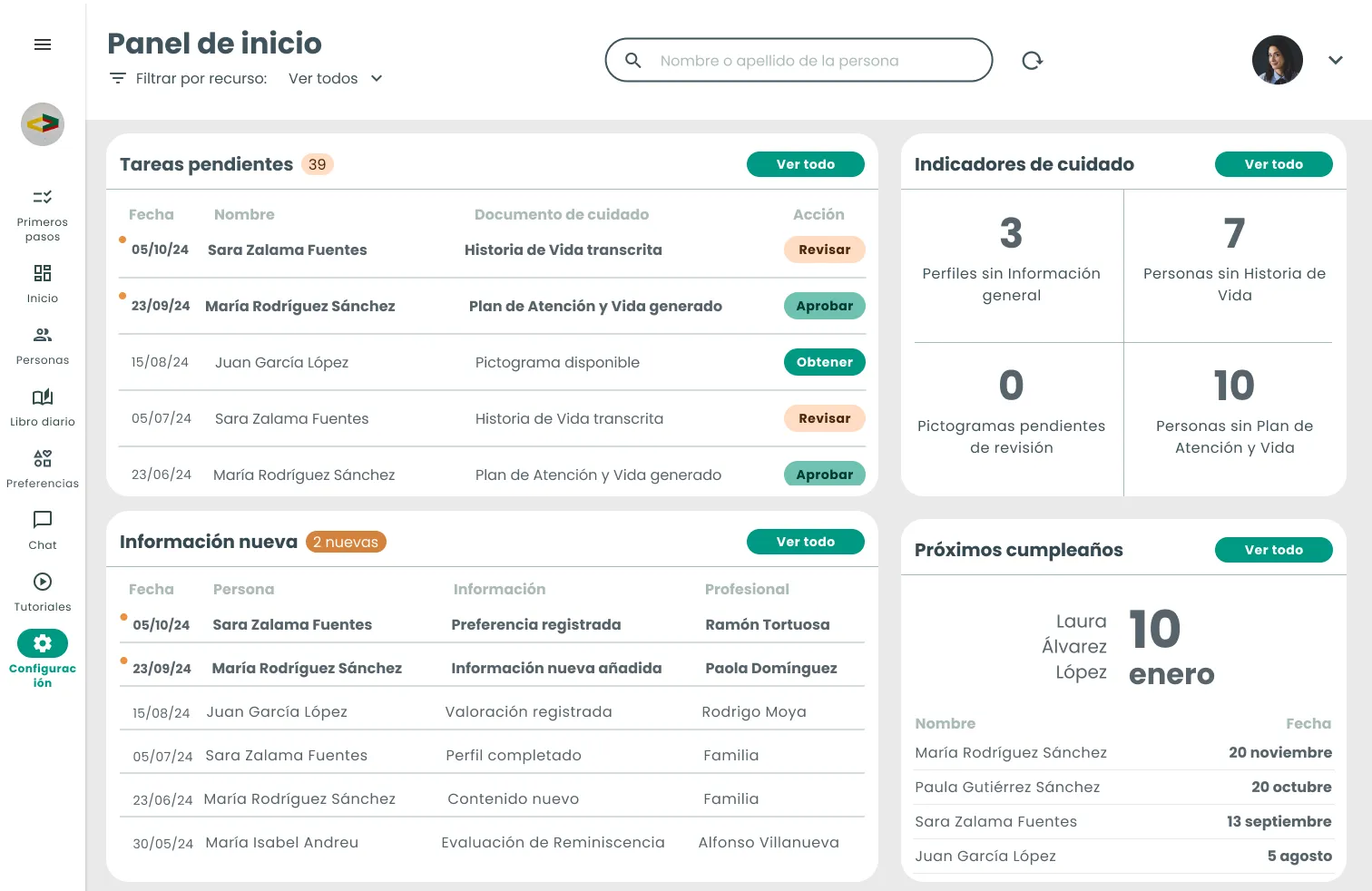
- Pending tasks
- Pending tasks turned incomplete processes into concrete actions: approving a Life Story, generating a pictogram, or finishing pending information on a profile.
- New information
- New information worked as a board to stay up to date without mixing it with things that required an action.
- Care indicators
- Care indicators made it possible to understand overall progress without turning it into the centerpiece of the experience.
- Upcoming birthdays
- And we kept Upcoming birthdays, a simple feature that professionals already used and that brought into the product a task some care homes were still managing with physical calendars.
Key learning
The challenge wasn't showing more data, but distinguishing between what the professional needed to know and what they needed to act on.
06 A foundation ready to keep growing
More than an interface, a foundation for the future
The result of these two years wasn’t just an interface different from the one I found when I joined.
Amaia had also grown as a product and as an ecosystem. That growth forced us to progressively move from solving individual screens to thinking in terms of patterns, navigation, components and shared rules.
- Consistency
A common base of components, styles and patterns reduced the differences between areas created at different points in the product.
- Collaboration
Design and frontend built a shared language that made the transition between Figma and Flutter more direct and reduced doubts during implementation.
- Continuity
Documenting decisions meant knowledge didn't depend solely on the people who had worked on the product day to day.
07 What I take away
Designing a system is also designing how a team works
I joined Amaia trying to bring order to an interface that urgently needed improving. Two years later, I was leaving a product far broader than the one I had found, but also a design foundation ready to keep evolving.
The process wasn’t linear. There were quick decisions, versions we had to rethink, and parts of the system that took much longer than I would have liked to standardize.
That’s precisely why one of my biggest takeaways was understanding that a design system isn’t just about creating consistent components, but about building agreements between design, technology and product that can be sustained over time.