Amaia Cuida Life Story
From an AI interview to information useful for care
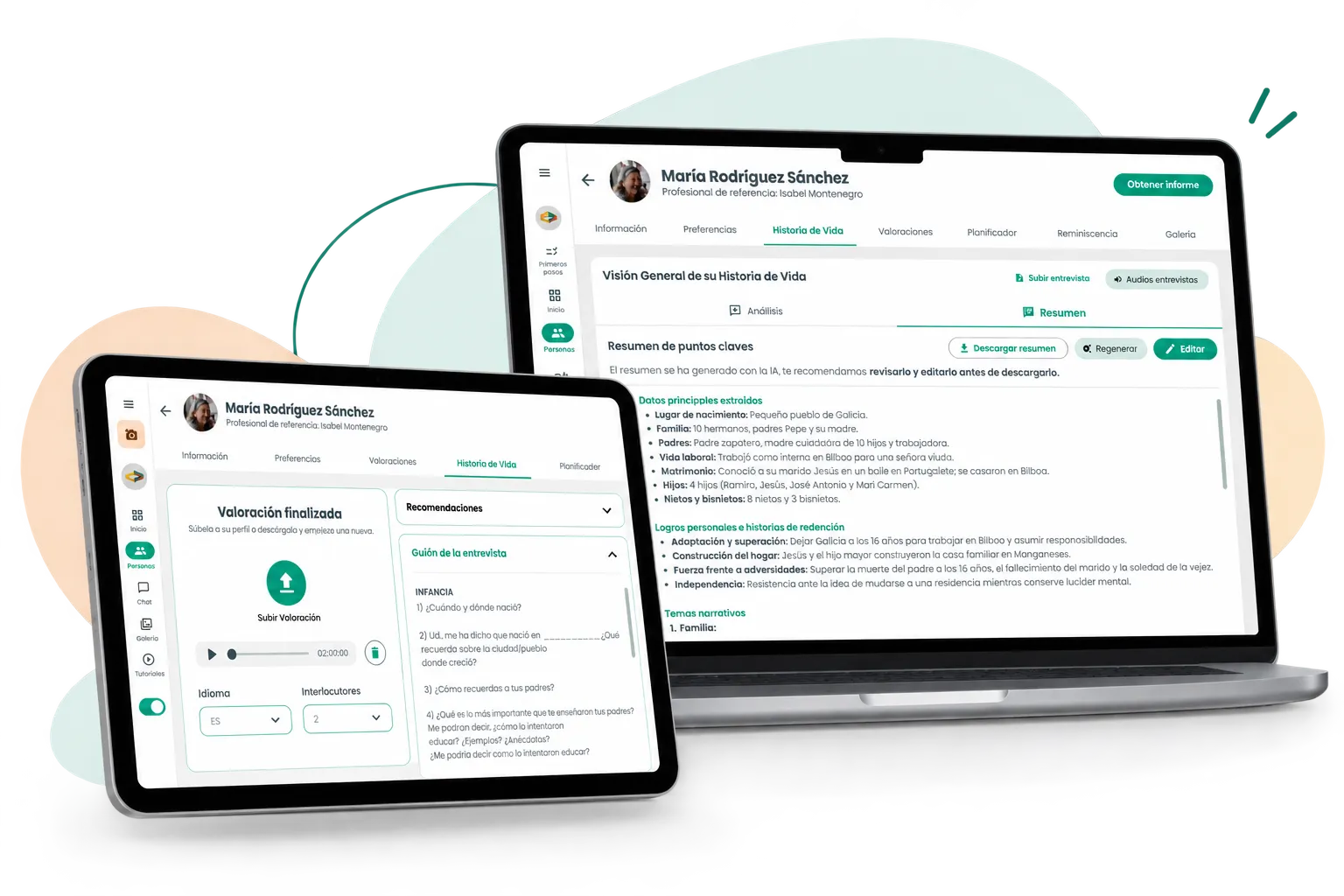
Amaia Cuida is a digital ecosystem that helps centers and care homes apply Person-Centred Care (PCC) in daily care.
Life Story already used AI to turn interviews into a structured report on each person’s life. However, some professionals still left Amaia to manually create a shorter, easier-to-consult version.
The challenge was to evolve the feature so that content became useful information for daily care, without losing something essential: professional judgment still had to validate the AI’s work.
Product screens are shown in their original Spanish.
- My role
- Product Designer UX/UI
- Duration
- 2 years
- 2023–2025
- Team
- CEO, Frontend, Backend, and Customer Success
- Products
- 3 platforms
- Amaia Profesionales (web)
- Amaia Conecta (tablet)
- Amaia App (families)
01 The starting point
A complete report that still required work outside Amaia
Life Story already allowed recording an interview from Amaia Conecta and using AI to transcribe it and organize the information by life stages into a report.
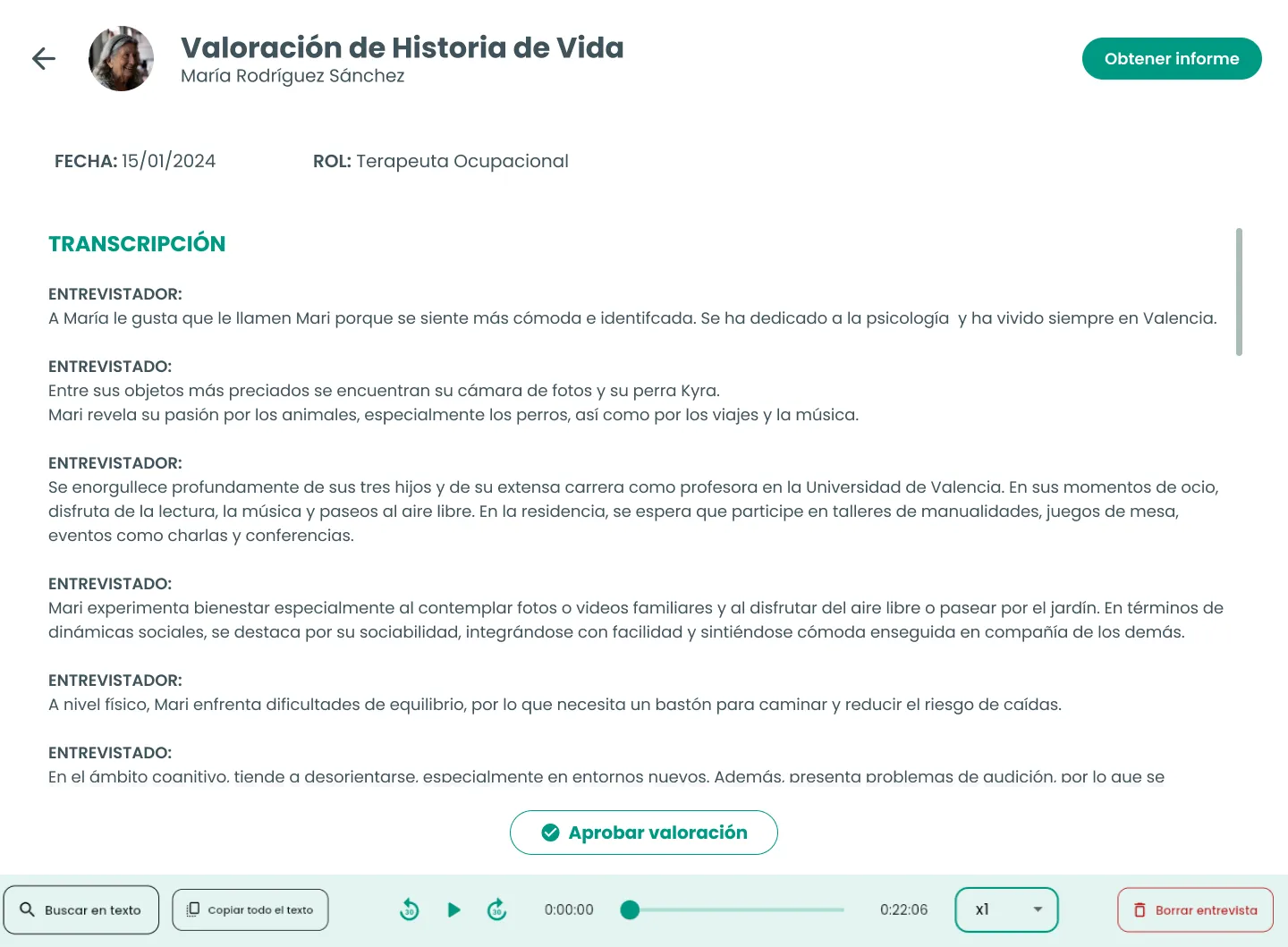
The report served its purpose as complete documentation of the person’s life story, but regular conversations with care centers began to reveal a different kind of need: some professionals would later extract the most relevant information and manually create a shorter version in Word or other tools.
Depending on the center, that summary could be added to the person’s documentation, moved into internal tools, or made available so other professionals could consult it more quickly.

The problem wasn’t that information was missing, but that it still had to be manually transformed to make it easier to consult and use day to day.
02 The first iteration
Making the AI's work visible and editable
Before considering the summary, the first problem we needed to solve was more immediate: professionals wanted to review and correct the AI-generated analysis without relying solely on the downloaded report.
Based on the feedback we were getting from the centers, we put forward a first hypothesis:
If we show the analysis alongside the transcript, the professional will be able to cross-check the interview content and correct the AI's output without leaving Amaia.
The first iteration brought the analysis directly into the interface and made it editable. Transcript and analysis were shown side by side so the professional could check the original content while reviewing each life stage.
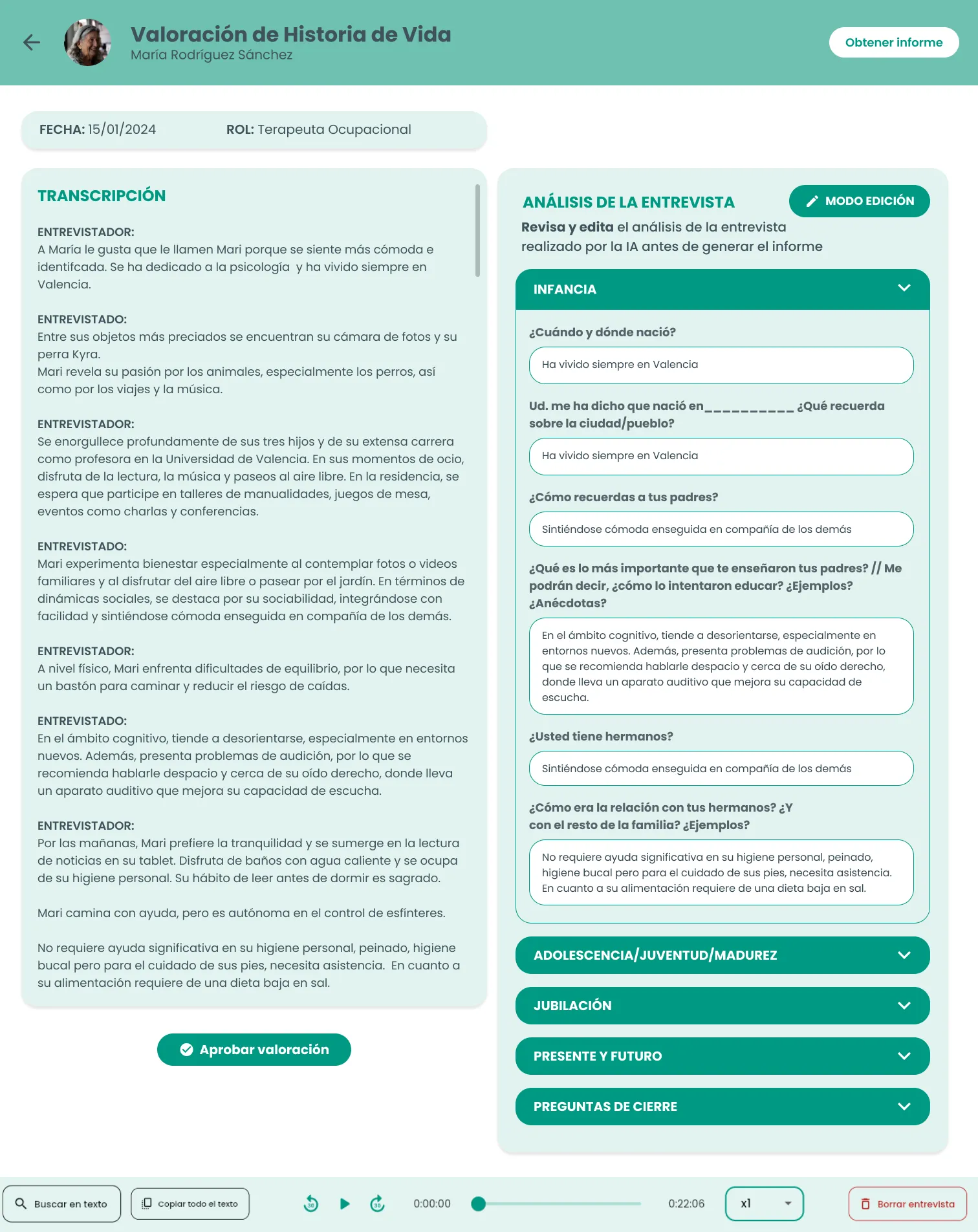
- 01 Transcript as reference
- 02 Analysis visible and editable
- 03 Professional validation
A logical solution that revealed a new problem
By using both sources side by side, we discovered we were giving nearly equal weight to two kinds of content that didn’t hold the same value for the professional.
The transcript could contain errors —for example, misreading a sentence or confusing speakers— that didn’t always carry over into the analysis. By keeping both pieces of content constantly facing each other, the interface invited comparison and put too much focus on transcript errors when what they actually needed to work on was the analysis.
This led us to rethink the hierarchy:
The transcript needed to remain available for checking information, but it didn't need to visually compete with the output the professional had to review and use.
03 Turning the analysis into day-to-day information
Professionals needed a shorter, more actionable layer
Amaia already automated much of the process, but turning the output into easy-to-consult information still required manual work.

What if Amaia also generated that first summary?
Since the AI already had the interview and analysis information, we proposed adding a second layer of information: an AI-generated summary that would serve as a starting point, which each professional could review and adapt.
We weren’t trying to reproduce each center’s particular format. The goal was to find a common structure that could be useful across different care contexts.
The question then shifted from only what information to summarize to also deciding how to present it so it would actually be easy to consult.
We explored two ways of synthesizing the information
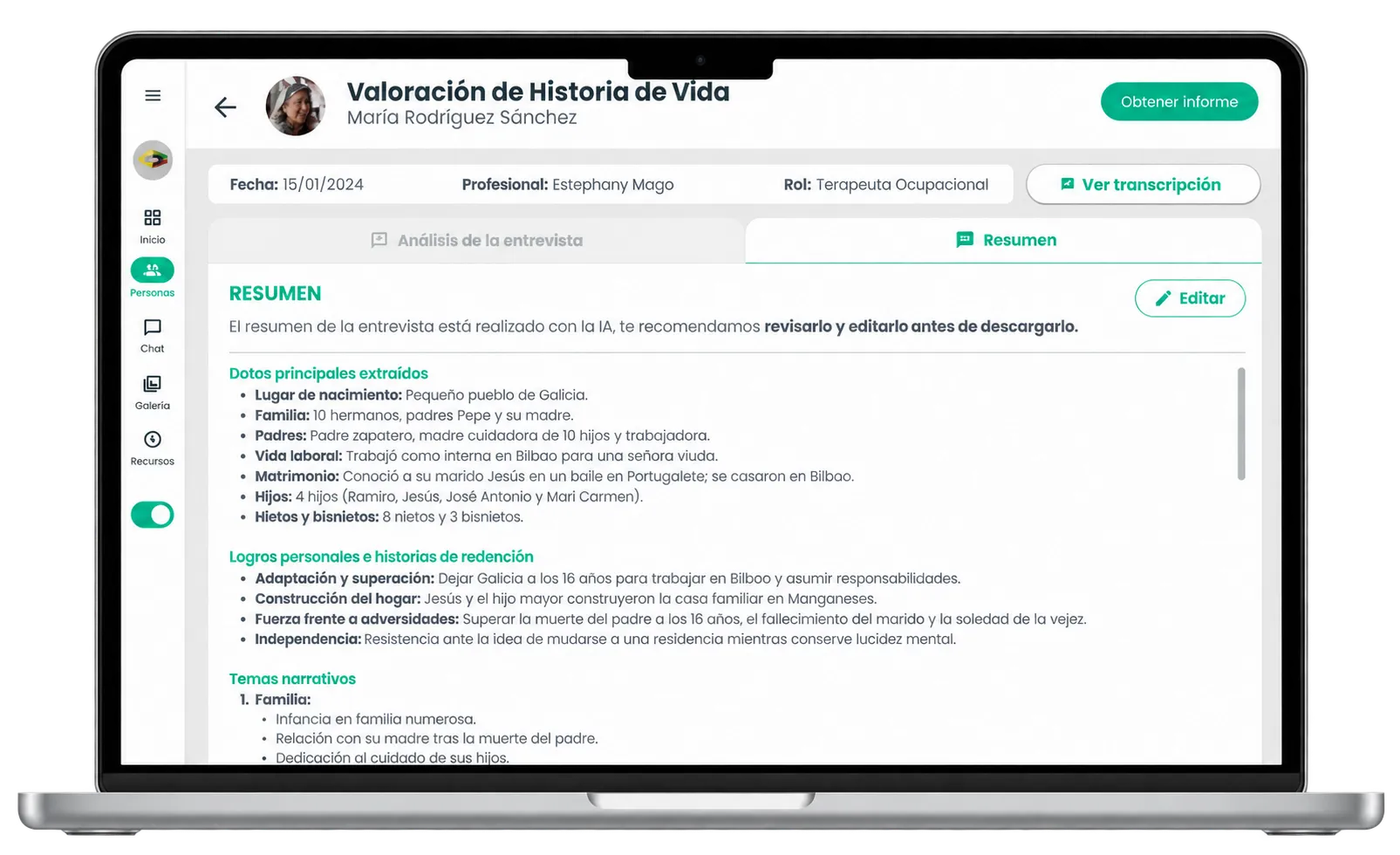
01 Structured summary
It organized information into blocks such as key data, relevant events, and narrative themes, making it easier to read directly and to locate specific information.
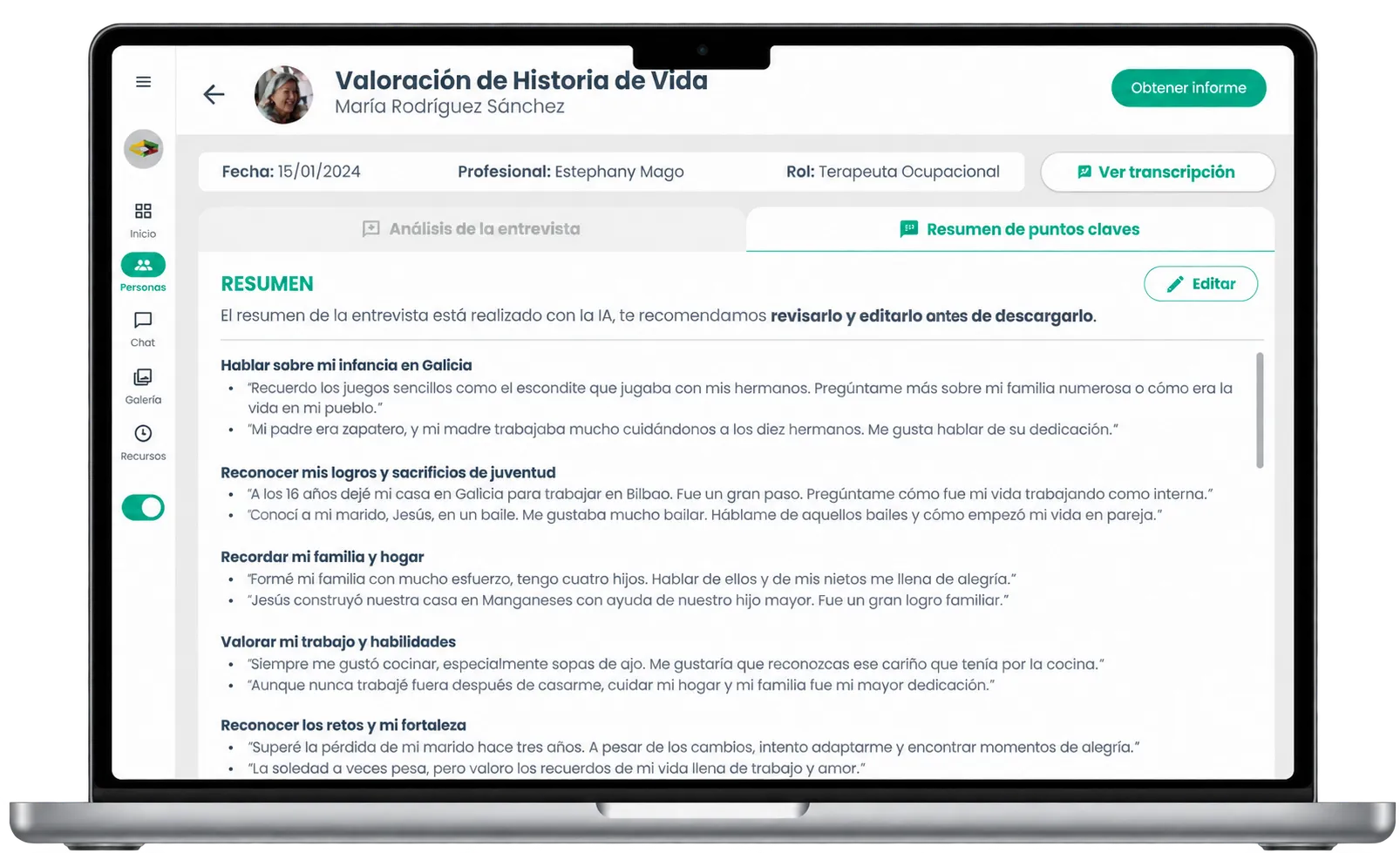
02 Narrative summary
It transformed the information into memories, experiences, and possible topics to talk about with the person, with a more narrative approach.
A first test helped us decide the direction
We took both proposals to a first test with professionals to compare which type of information was most useful.
The test helped us move toward a more direct, organized structure, closer to the type of information professionals needed to consult and later adapt.
But it also let us detect a different problem.
In that first proposal, Analysis and Summary already appeared as the two main outputs, while the transcript remained available as supporting information. However, the Summary tab stayed inactive until the professional approved the Analysis.
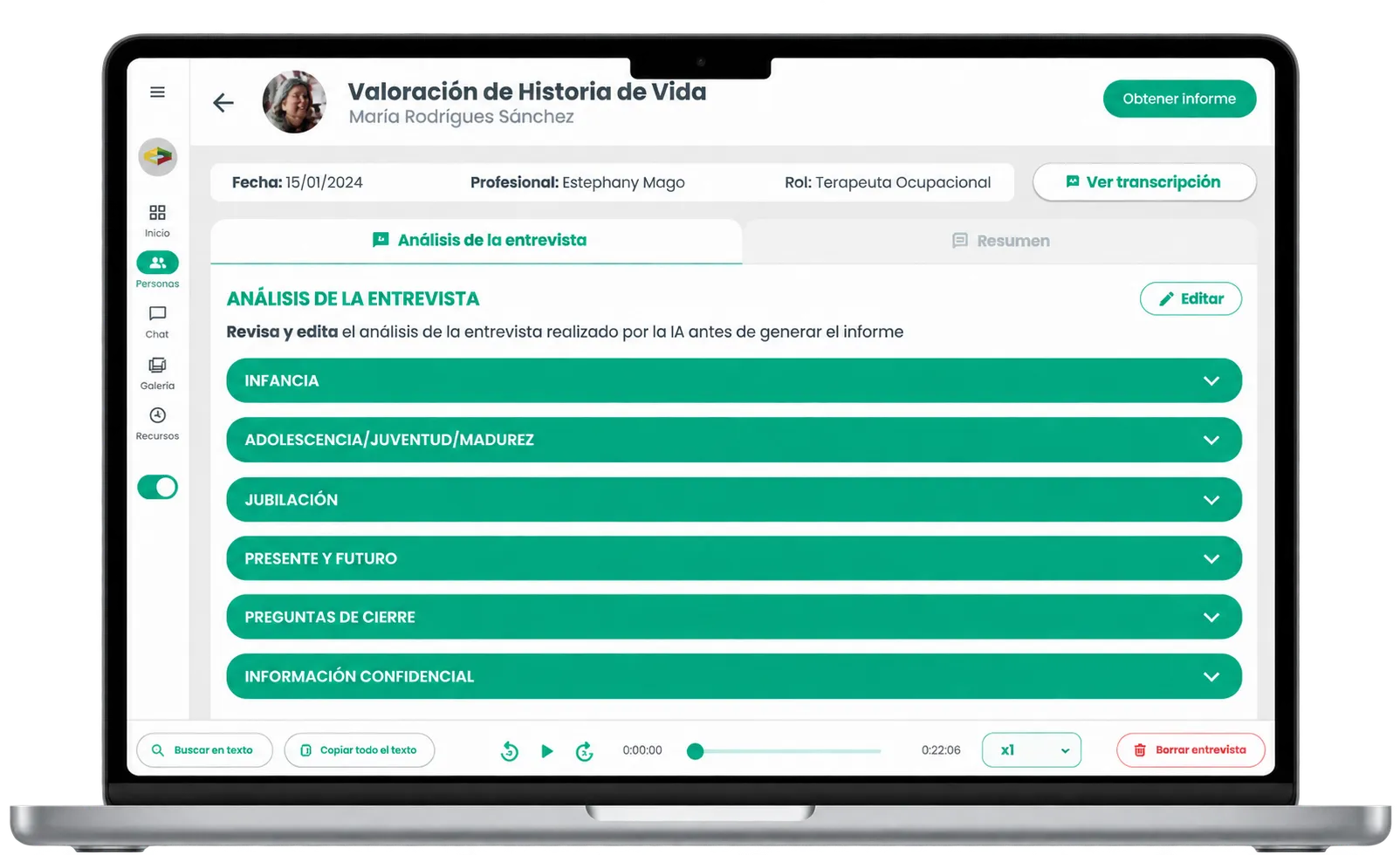
A visible tab wasn't enough if it looked inaccessible
During the test we observed that professionals didn’t try to explore a tab they perceived as disabled.
The intention was to show that a step came after the Analysis, but the inactive state achieved the opposite: the Summary was present in the interface, but it didn’t help convey what would happen after approving.
This led us to change the interaction: Analysis and Summary needed to stay visible and accessible, even when the Summary hadn’t been generated yet.
This first validation therefore produced two decisions that would shape the next version: moving forward with a more structured, direct Summary, and keeping both sections accessible to make the path between Analysis and Summary understandable.

04 Designing the complete flow
The AI generates. The professional validates.
Adding the Summary raised an important decision: at what point should it be generated, and from which information?
Generating it directly from the interview would have been more immediate, but it could also carry AI errors from one output to the next. That’s why we decided to keep an intermediate validation step.
The professional had to review, edit, and approve the Analysis first. Only then would the AI use that already-validated information to generate the Summary.
We prioritized the quality of information over immediacy: AI speeds up the work, but professional judgment remains part of the process.

Two outputs with different functions
With the new architecture, Analysis and Summary moved to the first level of Life Story, while the transcript remained available as supporting information.
The Analysis kept the complete content organized by life stages and was the space where the professional could review and correct the AI’s work.
The Summary offered a shorter, more structured version, designed to quickly locate the most relevant information.
After the first validation, both sections remained visible and accessible, making it more evident that they were part of the same process.
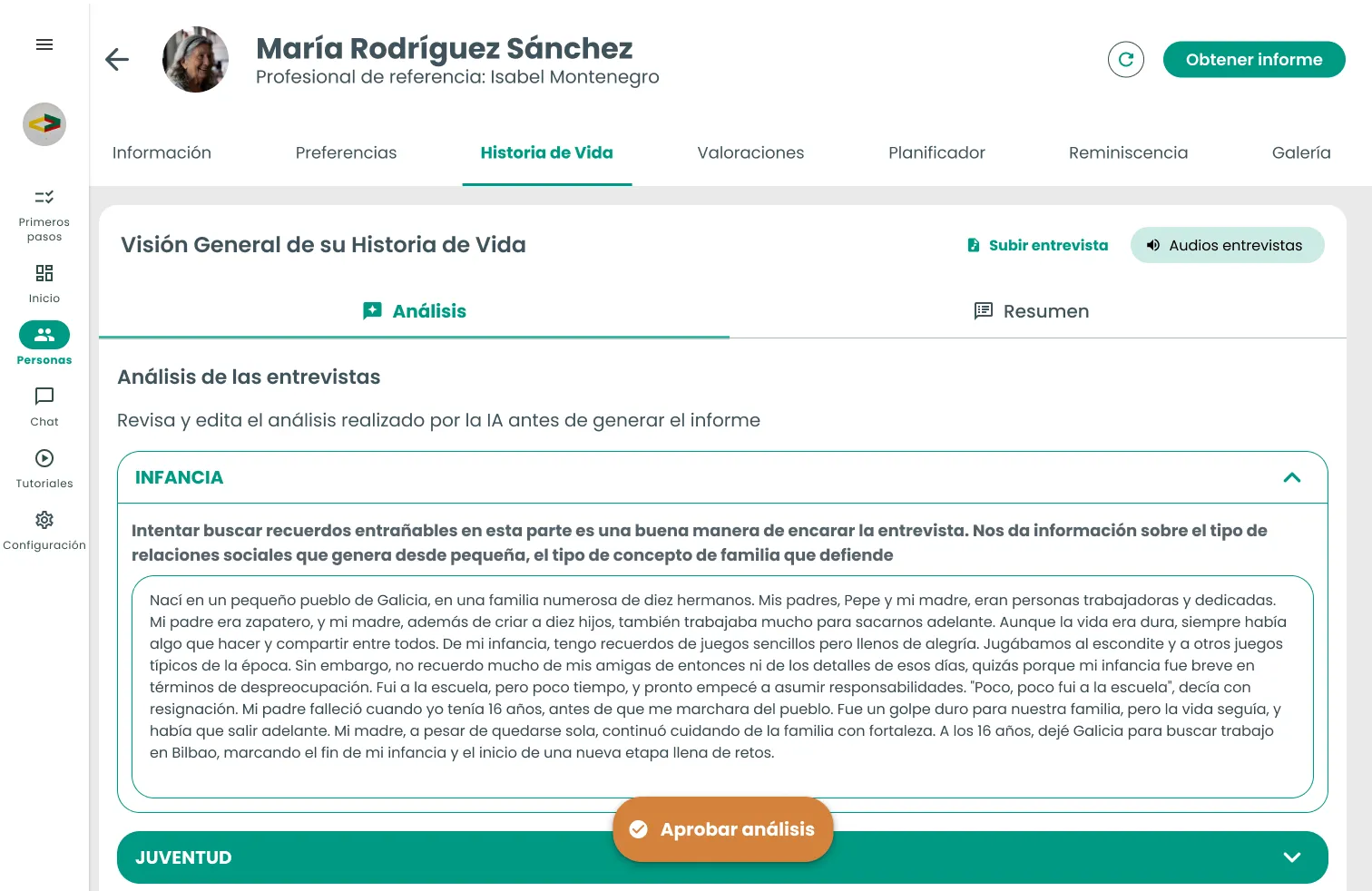
01 Analysis
Review and validate the complete information.
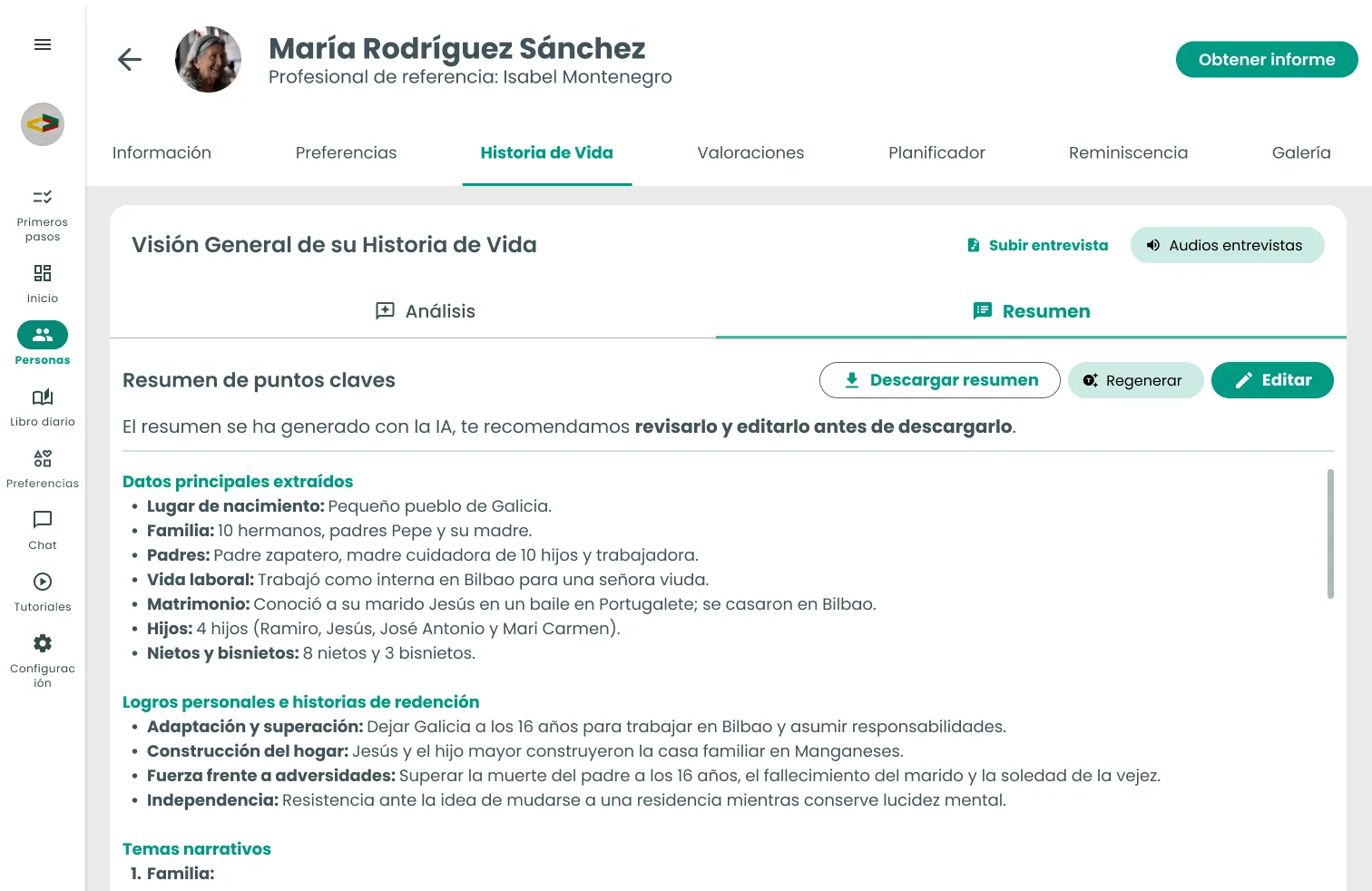
02 Summary
Consult and adapt the synthesized information.
From the desktop to the care context
Adding the Summary also expanded Life Story’s role within Amaia Conecta.
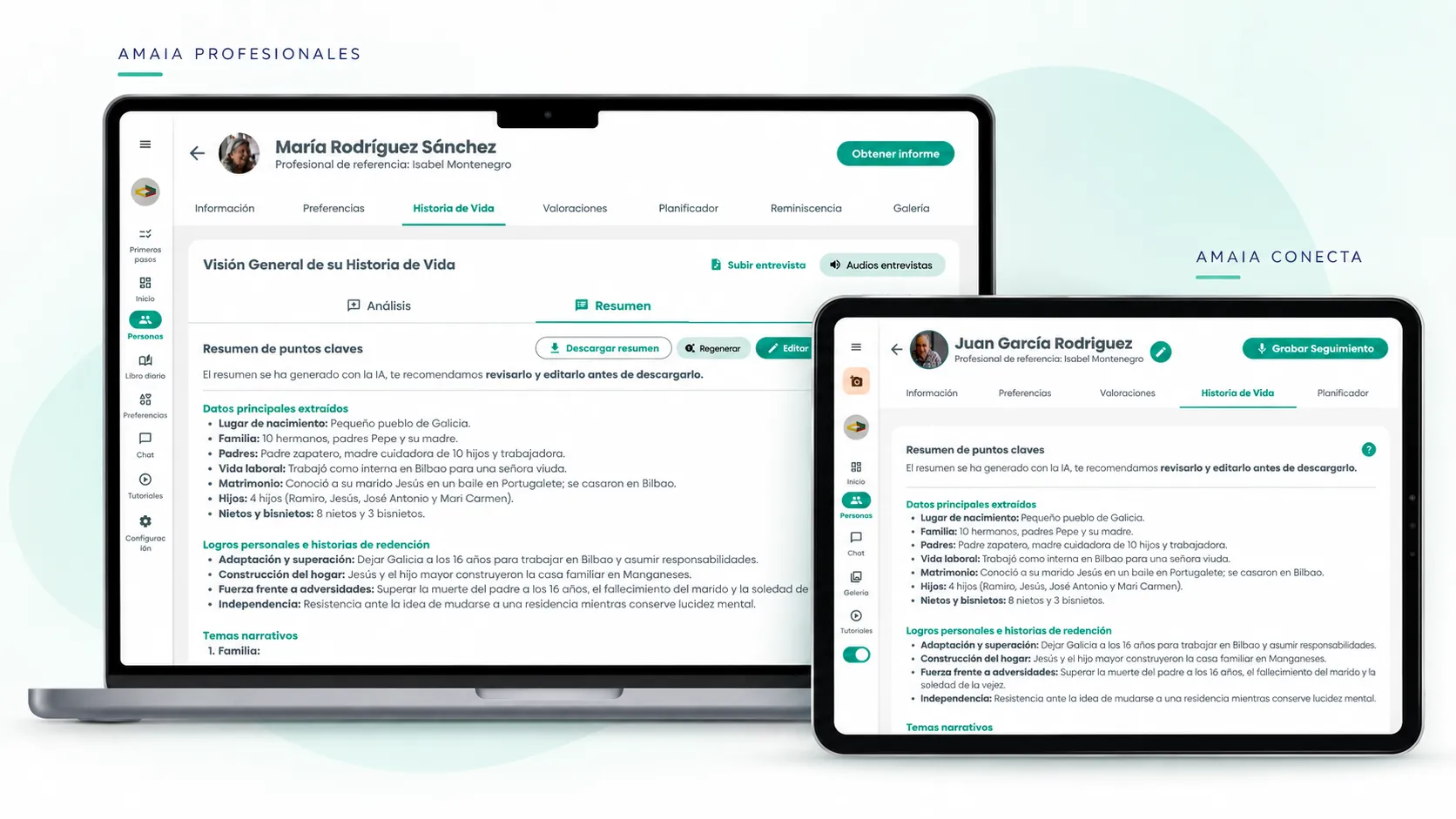
We added a dedicated Life Story section within each person’s profile. Once the professional had reviewed and approved the Analysis from Amaia Profesionales and the Summary had been generated, it could also be consulted from the tablet.
Content management stayed on the computer; Amaia Conecta worked as a place to consult the synthesized result.
This avoided moving all the complexity of review and editing onto the tablet, and kept a clear function for each environment.
Amaia Profesionales · Computer
Review and validate
Amaia Conecta · Tablet
Consult
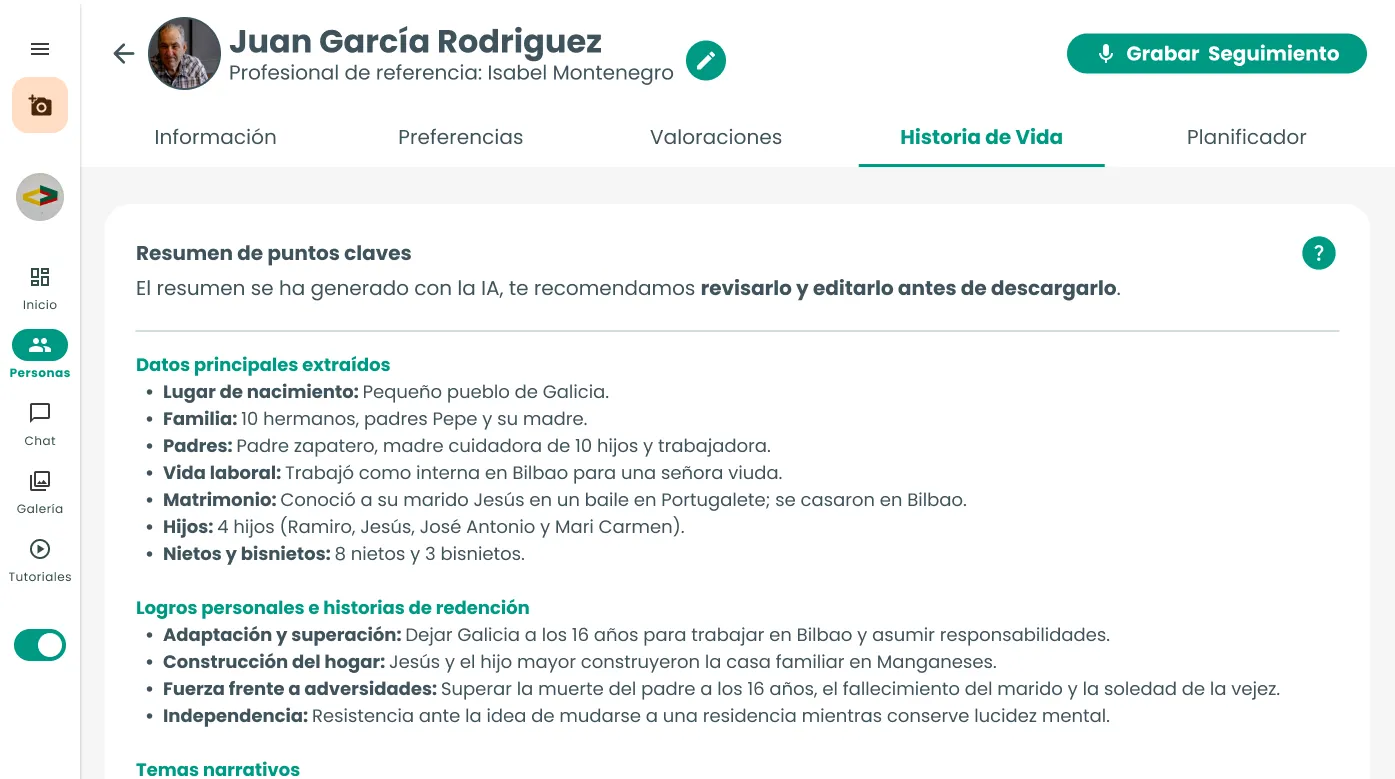
Life Story thus moved from generating a report to connecting the collection, validation, and consultation of information between both products.
05 Validating the complete flow
The same journey, tested with five centers
With the new flow already integrated into Amaia, we ran 5 usability sessions with professionals from five different centers, represented here as Center A, B, C, D, and E to preserve their identity.
Everyone tested the same Life Story journey: from starting the interview in Amaia Conecta to reviewing the Analysis and consulting the Summary.
Participants had different levels of familiarity with Amaia and different comfort with digital tools. So the goal wasn’t to expect identical behavior, but to identify which friction points repeated across sessions and which were more one-off situations.
To analyze the results, I compared the observations from the five sessions against the hypotheses I had previously defined about the happy path.
- centers
- 5
- professionals
- 5
- same flow
- 1
- Center A
- Center B
- Center C
- Center D
- Center E
Problems didn't always show up in the same place, but we did find patterns
Recurring finding: The entry point to Life Story wasn't clear enough
What we observed
In Centers A, B, D, and E, confusion arose between Life Story, Assessments, and other entry points during the journey.
What it told us
We needed to reduce the ambiguity of the entry point and make the destination match the professional's expectation more closely.
Recurring finding: Pending tasks wasn't part of everyone's natural journey
What we observed
In Centers A and B, professionals tended to go directly to the person's profile. In Center C, by contrast, they alternated between the profile and the Home.
What it told us
We couldn't rely on the Home as the only place to communicate that there was content pending review.
Recurring finding: AI processing times created uncertainty
What we observed
In several tests, doubts came up about whether to wait, refresh, or repeat an action when the Analysis or Summary took time to appear. In one case, the task was temporarily abandoned.
What it told us
We needed to better communicate the system's states while Amaia processed the information.
Recurring finding: The Summary added value, but wasn't always discovered on its own
What we observed
In Centers A, D, and E, there were difficulties anticipating or locating the Summary after approving. In Center C, by contrast, it was already part of their regular review.
What it told us
Generating the Summary wasn't enough: the system needed to better communicate when it was being generated and when it was available.
Recurring finding: Professional review really was part of actual behavior
What we observed
In Centers B, C, and D, we observed professionals reviewing stages, correcting errors, removing repetitions, or adapting content before approving it.
What it told us
Human validation wasn't an artificial barrier: it fit the way professionals checked the AI's work.
Not all observations carried the same weight
The tests also revealed more isolated issues: confusion about what Regenerate did, low visibility of some editing tools, or differences in how certain flow elements were used.
We logged them as opportunities for improvement, but didn’t treat them as general problems when the evidence only appeared in one or a few sessions.
What we validated
Despite the friction along the way, the sessions reinforced two fundamental decisions.
The first was the value of the Summary. When professionals reached it, they understood its role as a shorter version of the Life Story and found it useful to be able to consult and adapt it.
The second was keeping the professional within the generation process. During the tests we observed how they reviewed, corrected, and adapted the AI-generated content before approving it, confirming that professional validation fit how they actually worked.
The value of the Summary was understood once reached. The main friction was in making the path to it clearer.
Adjustments after the tests
Making visible what the AI was doing
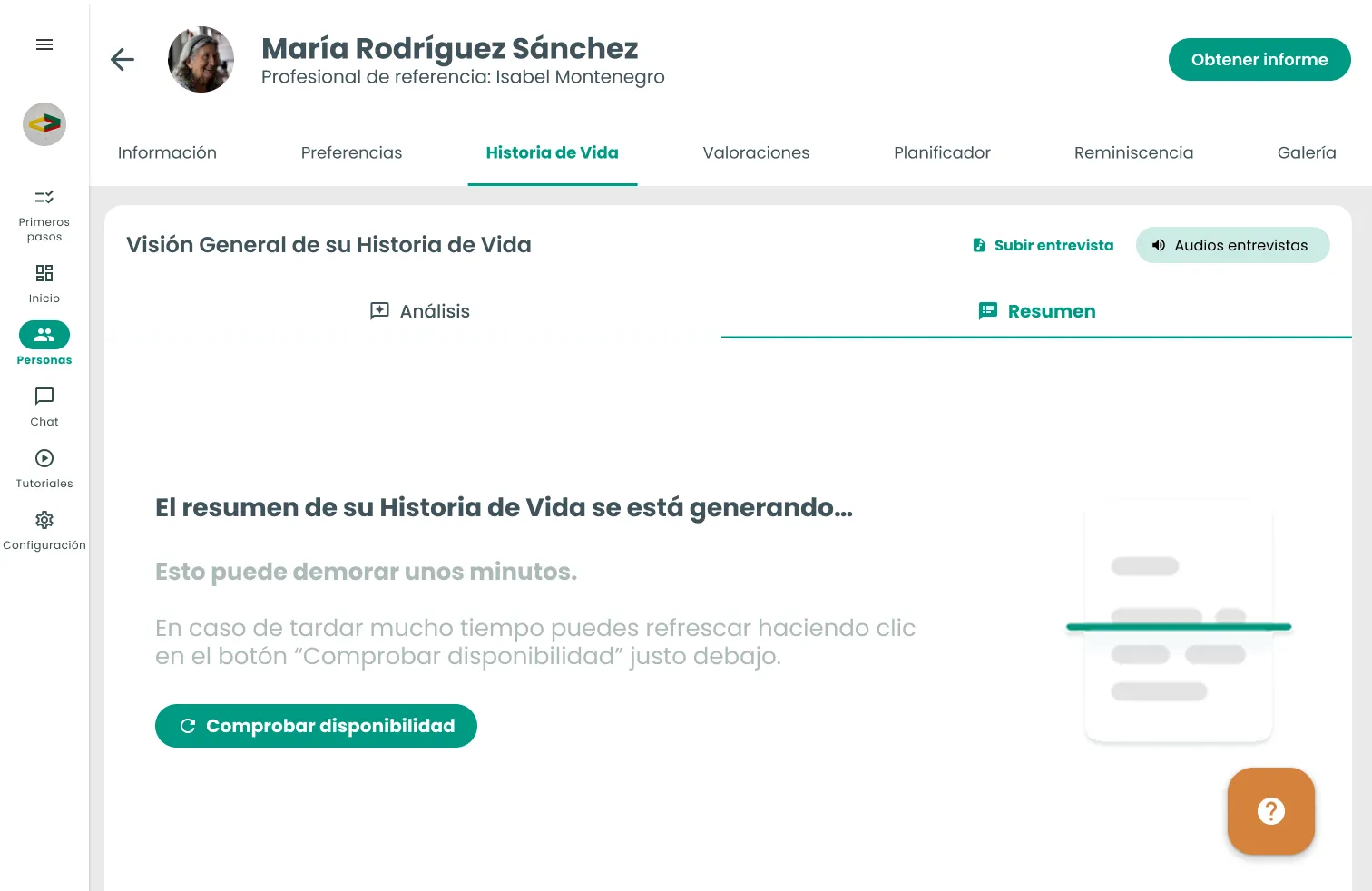
One of the clearest patterns appeared during wait times. When the Analysis or Summary weren’t immediately available, professionals could be unsure whether the process was still running or whether they needed to do something.
To reduce that uncertainty we worked on specific states to communicate what was happening while the information was being processed.
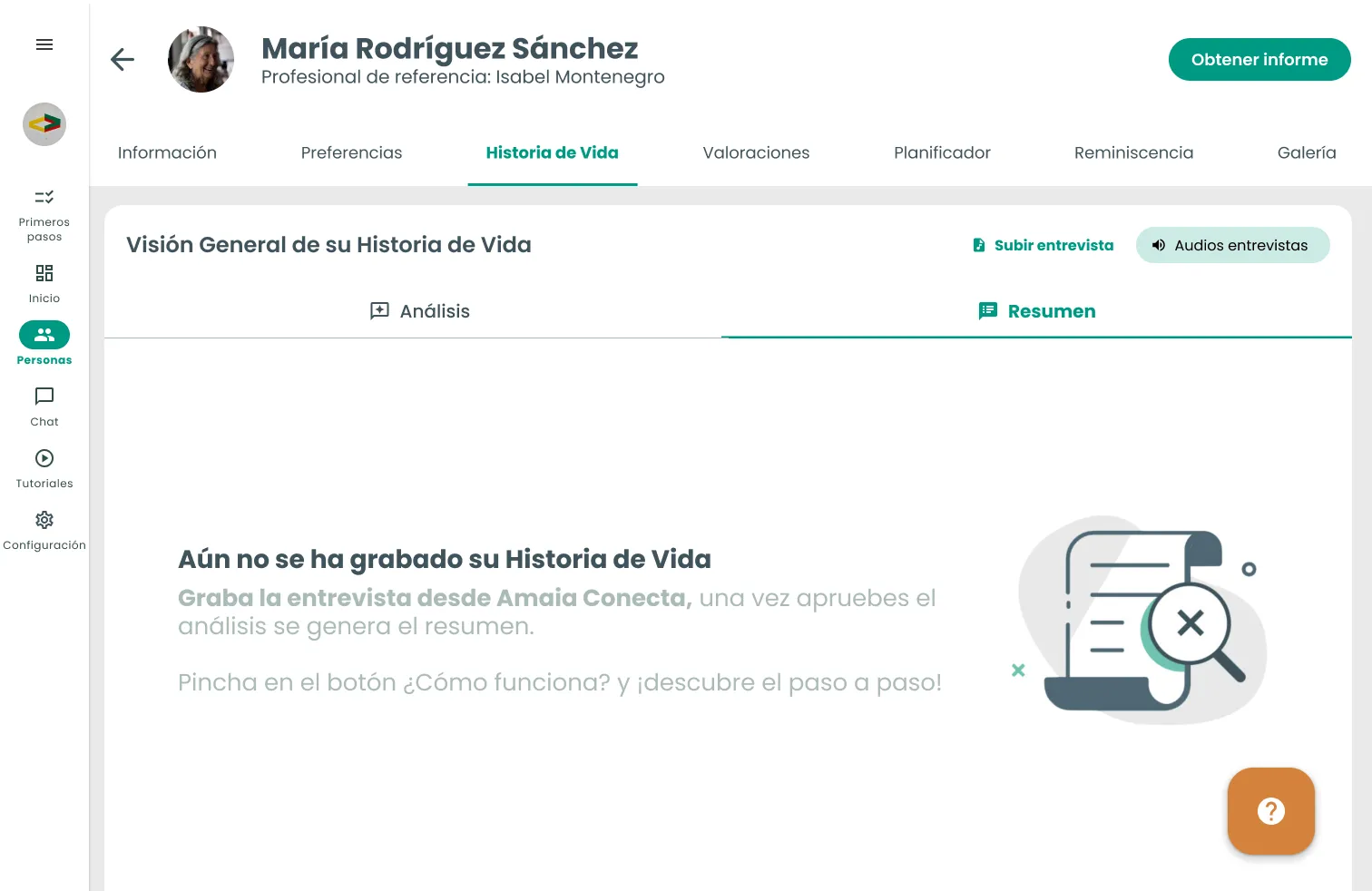
Generating state
Making the entry point lead where the user expects
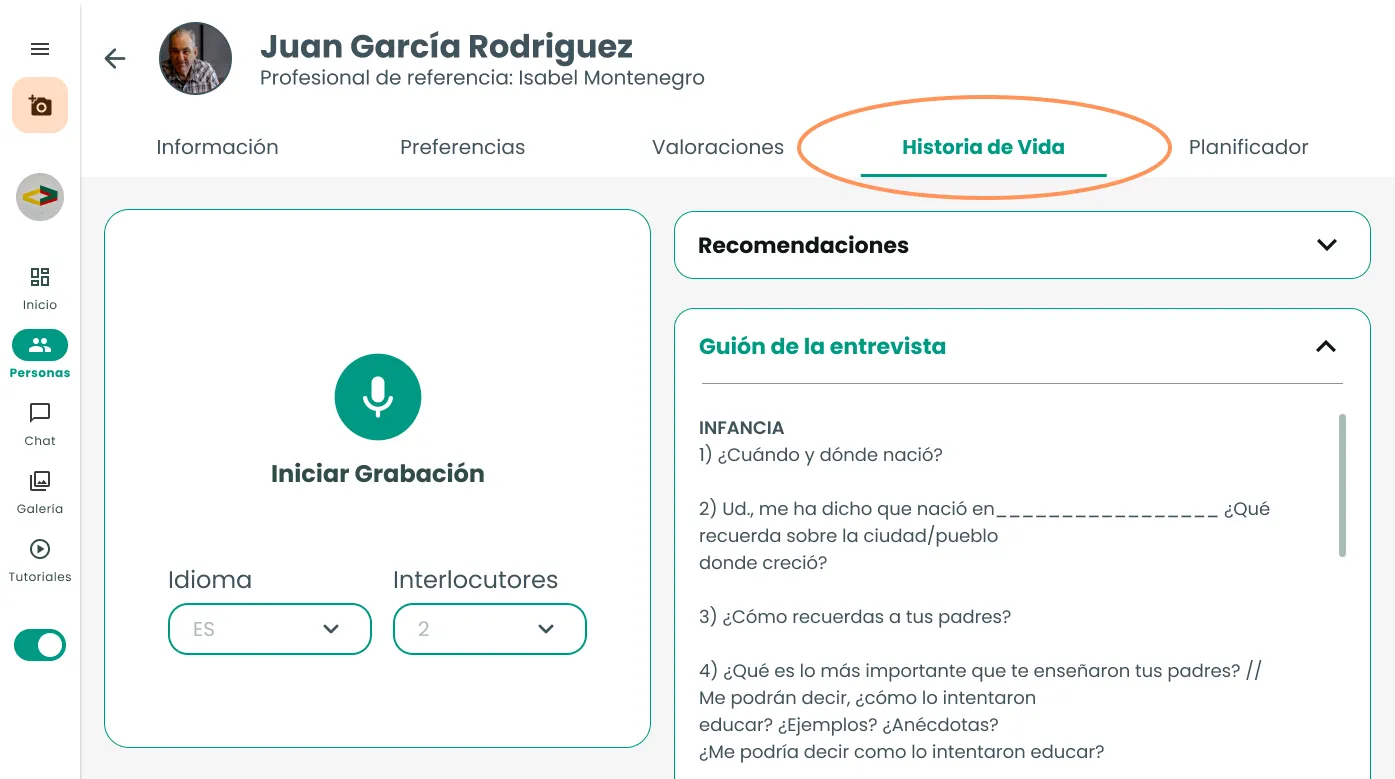
The tests also showed friction between the name of the action and its destination. A professional could select “Grabar Historia de Vida” (Record Life Story) and end up inside Assessments, where the recording interface was technically located.
For the user, however, the two didn’t necessarily represent the same context.
We adjusted the journey so “Grabar Historia de Vida” would lead directly to Life Story, aligning the action’s destination with the expectation created by its name.
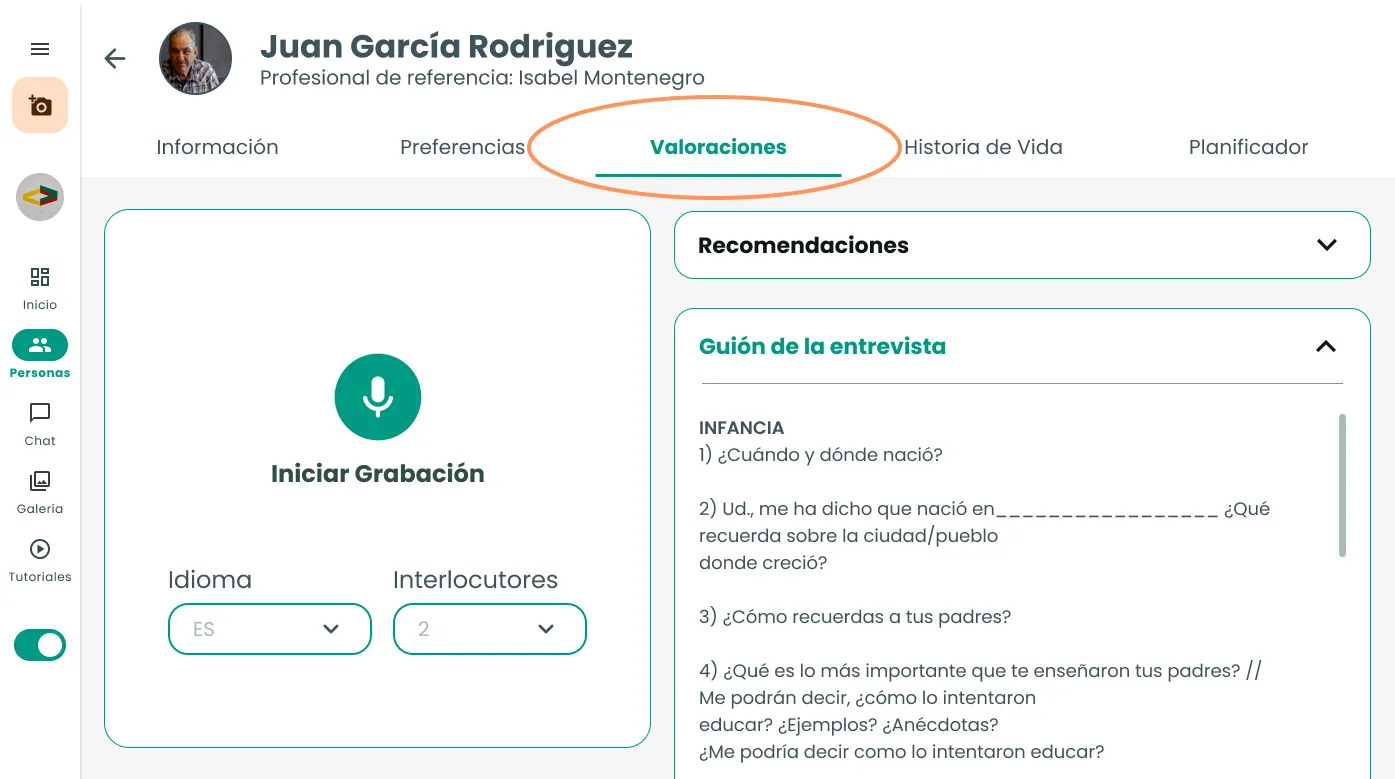
The tests didn’t change the direction of the solution. They helped us detect where the flow needed to better explain what was happening and make each action match the professional’s expectation.
06 Result
From generating a report to supporting care
Life Story evolved from a process focused mainly on generating a report into a flow where AI and professional judgment each play different roles.
The AI processes the interview and structures the information; the professional reviews, corrects, and validates the content; and the Summary turns that work into a shorter version that can later be consulted from Amaia Profesionales and Amaia Conecta.
The goal wasn’t to replace professional judgment, but to reduce the work needed to turn a long interview into information that could be reused in daily care.
The Summary found its place in real-world work
The sessions showed that, once discovered, professionals understood the difference between the full Analysis and the Summary, and could decide when they needed to review, modify, or simply consult the result.
The value wasn’t just in shortening information. The Summary allowed what was learned during an interview to also remain available to other professionals who later cared for that person.
“The good thing is that if at some point this person were taken off my caseload, another colleague could find out everything she needs to know about her life.”
“If I like the summary I don't edit it, and if I don't like it I modify it.”
“I think it's wonderful because it already gives you everything, then I just have to tweak it.”
Observed impact

What I learned
Automating doesn’t always mean removing steps.
In a product that uses AI to work with personal information, reducing friction mattered, but so did deciding where not to. Professional review added a step to the process, but it allowed the information to be validated before using it to generate a new output.
This project taught me to design AI not as a final answer, but as a tool within a process where the user still has the ability to review, correct, and decide.