HandiSport Mallorca
From an informational website to an experience designed to find and manage adapted activities
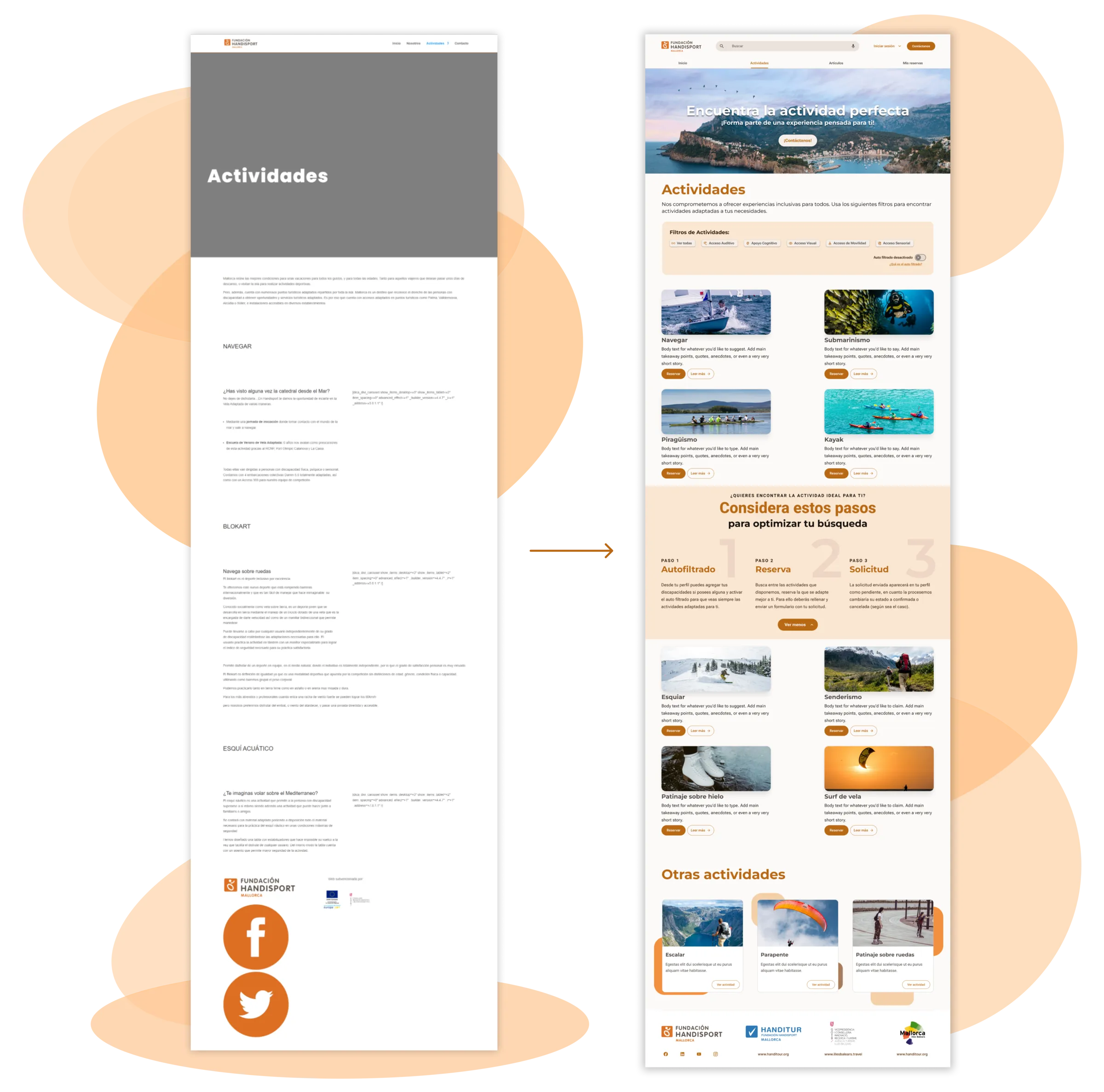
HandiSport Mallorca connects people with specific accessibility needs to adapted sports and tourism activities. The project involved rethinking a very outdated website and turning it into a responsive experience that would guide the user from discovering an activity through to requesting and managing their booking.
Product screens are shown in their original Spanish.
- Role
- Product Designer UX/UI
- Type
- Freelance project
- Product
- Responsive web app
- Platforms
- Desktop + Mobile
01 The starting point
A website with information, but no clear journey
When I joined the project, the HandiSport website worked mainly as an informational repository. The activities section was especially long: each offering appeared one after another, with large blocks of text, little visual hierarchy, and no tools to help find an activity based on each person’s needs.
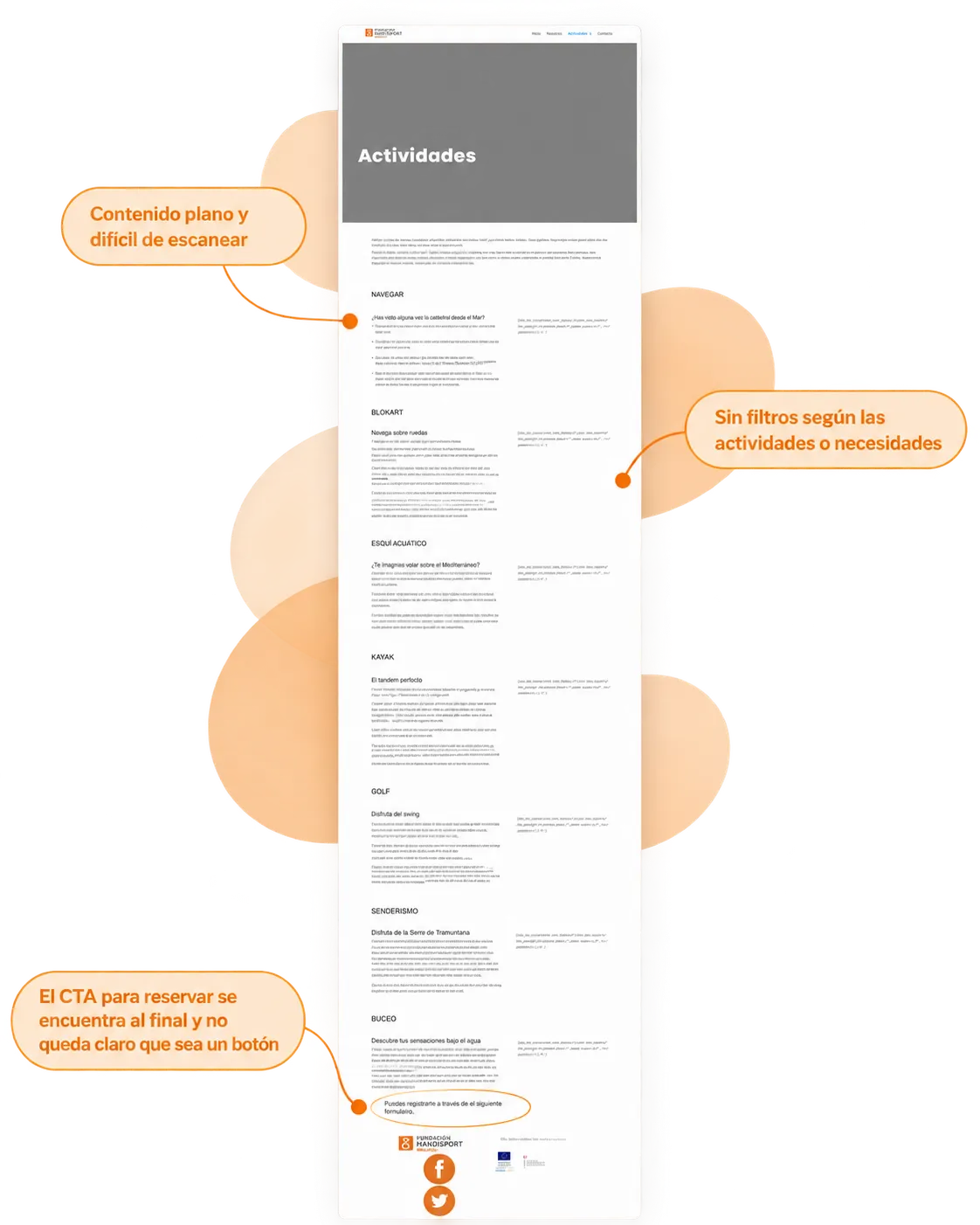
Booking wasn’t part of an obvious flow either. The CTA appeared at the bottom of the page and it wasn’t clear that it was a booking action; from there, the journey ended up routing to a generic contact form. Other areas of the site followed a similar structure, with a lot of empty space, information that was hard to scan, and little consistency between sections.
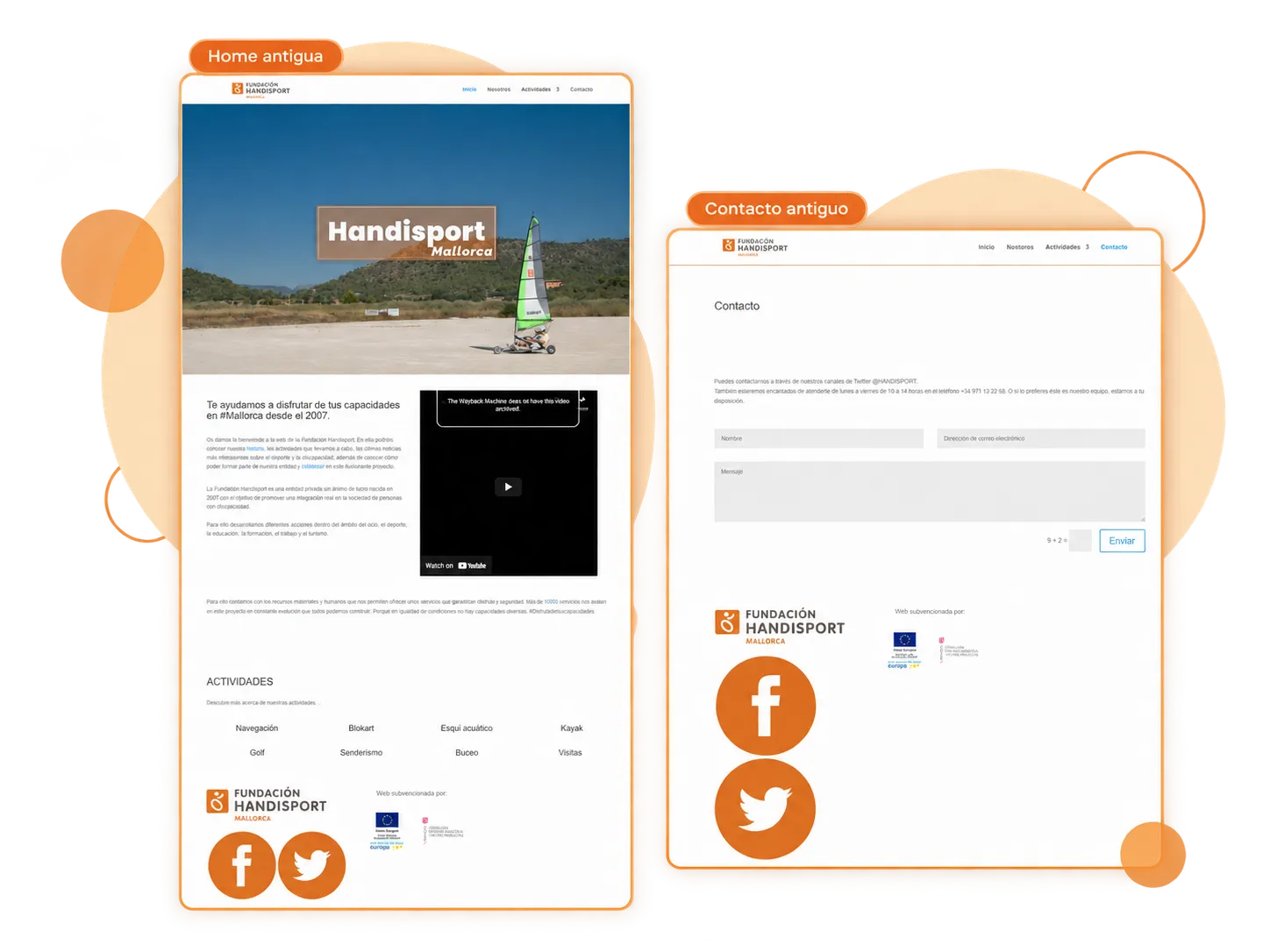
The challenge wasn’t just updating the look. An informational website had to become an understandable journey, from “I want to find an activity” to “I want to request my spot”.
02 Building a clearer foundation
Carrying HandiSport's identity into a coherent interface
We didn’t need to create a new identity. HandiSport already had a recognizable brand built around orange; the work consisted of carrying that identity into a more consistent, easier-to-maintain interface.
I worked from a Material Design base and a Flutter theme to define a tonal palette, color roles, and a shared typographic hierarchy. Montserrat was used mainly for headlines and higher-hierarchy elements, while Roboto was applied to content, labels, and functional text.
More than creating a new system, we needed a foundation solid enough for the whole experience to speak the same language.
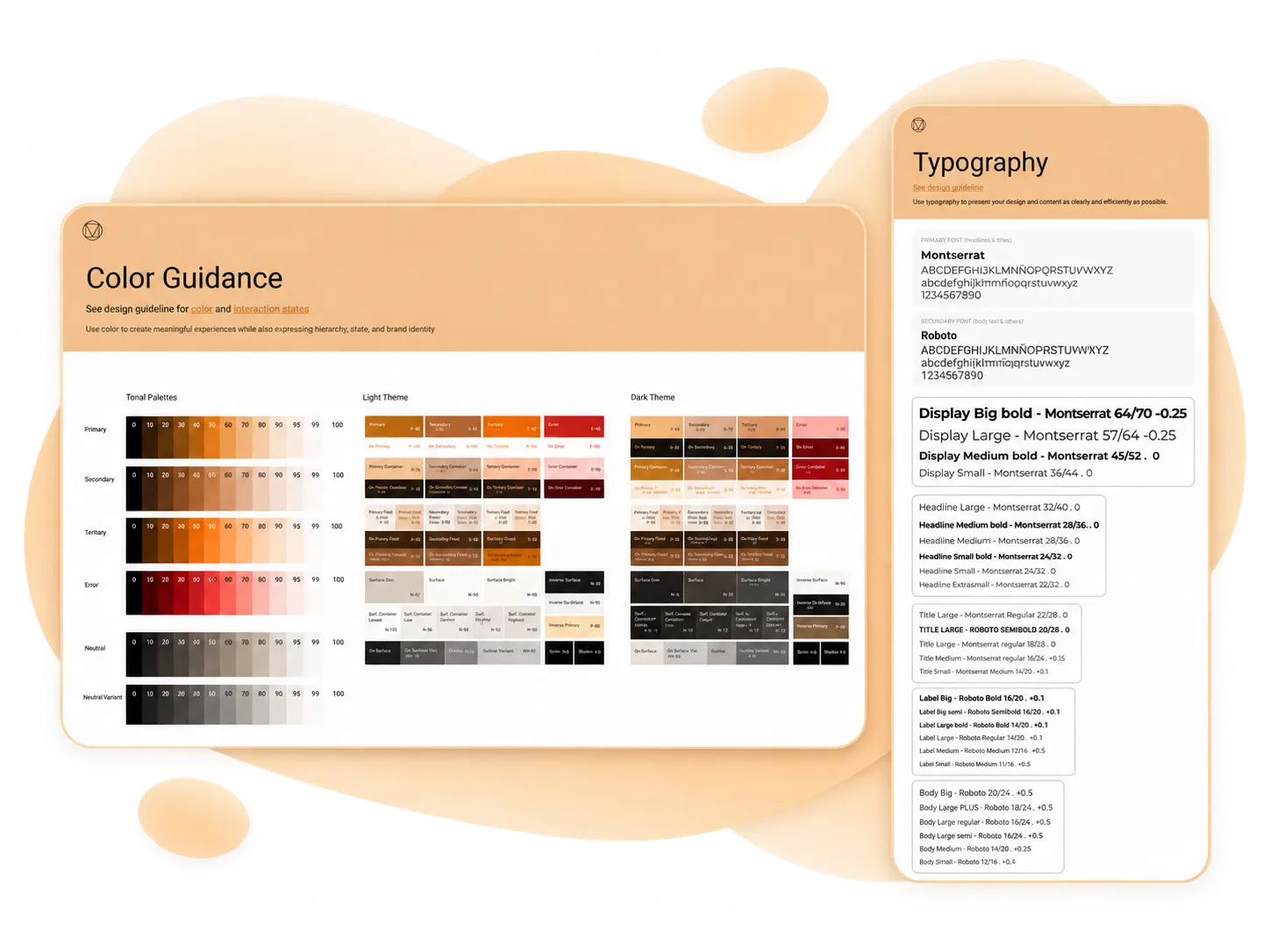
I didn’t build a full Design System. The goal was to establish enough shared rules so that forms, filters, cards, states, galleries, and management tools would feel like part of the same product.
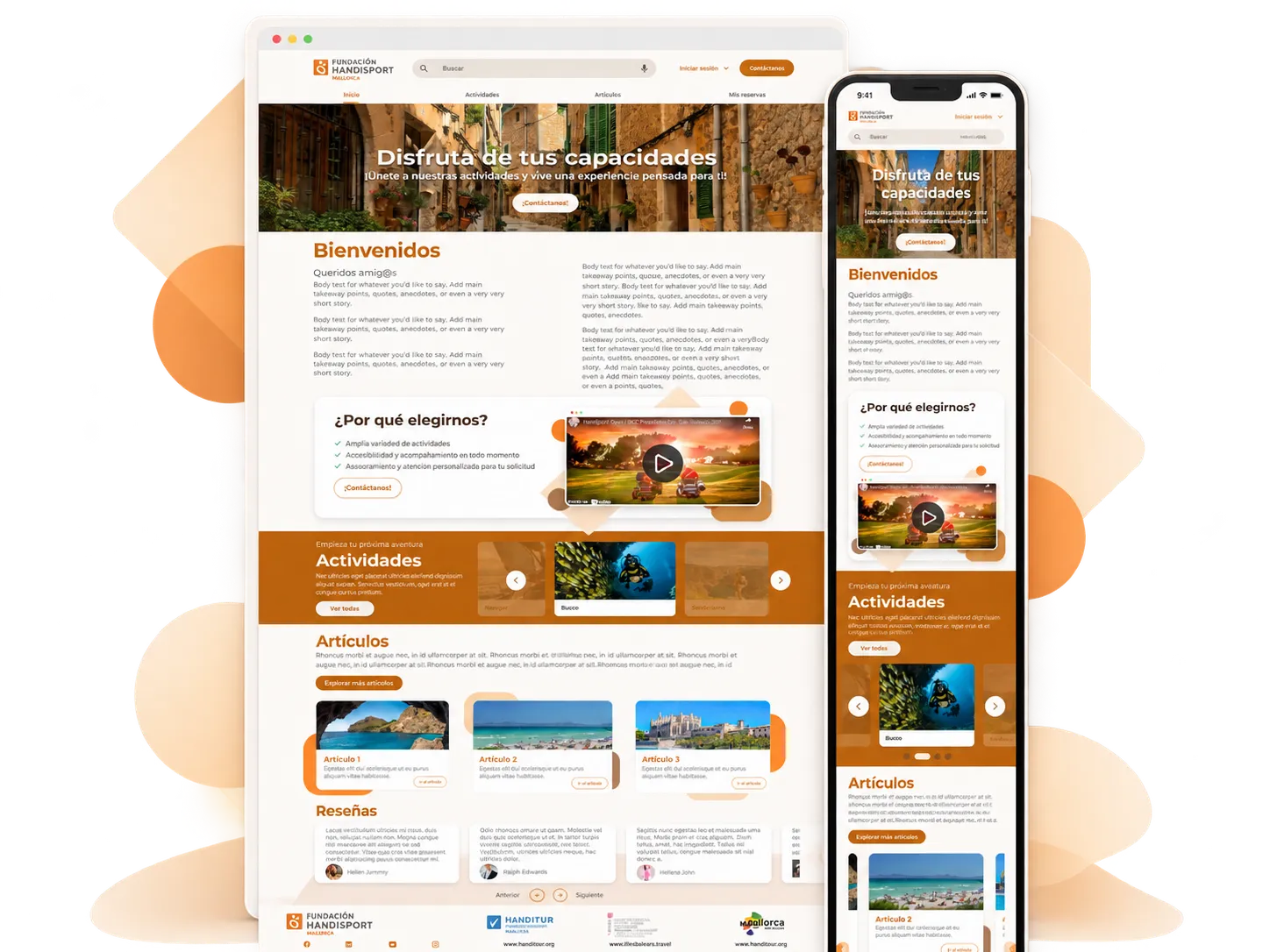
I also worked on standardizing text and copy to reduce inconsistencies and make working alongside development easier.
03 Finding activities based on each need
Turning accessibility into part of discovery
One of my main UX contributions was proposing that accessibility needs shouldn’t appear only as information within an activity’s page, but could also be used to find compatible activities.
Together with Samuel, we defined the categories the platform would include:
Hearing access · Cognitive support · Visual access · Mobility access · Sensory access.
From the Profile, the user can add the needs that apply to them or indicate that they have no disability. Based on that information, I designed the auto-filter option, meant to reduce the effort of reselecting the same filters every time the catalog is checked.
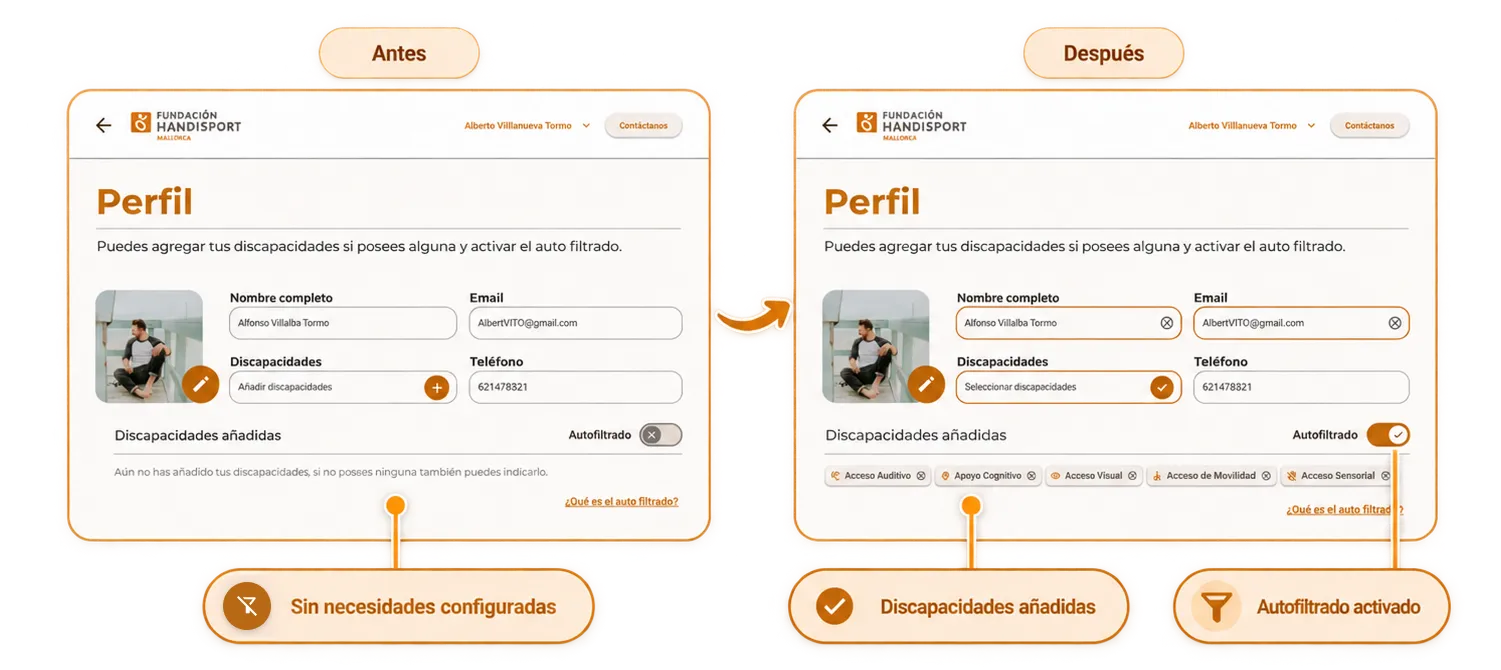
Auto-filtering came with an accessible explanation right inside the interface. The goal was for the user to understand that the platform would use the needs saved in their Profile to show them activities adapted to those needs, and to be able to go straight to configuring them if they hadn’t done so yet.
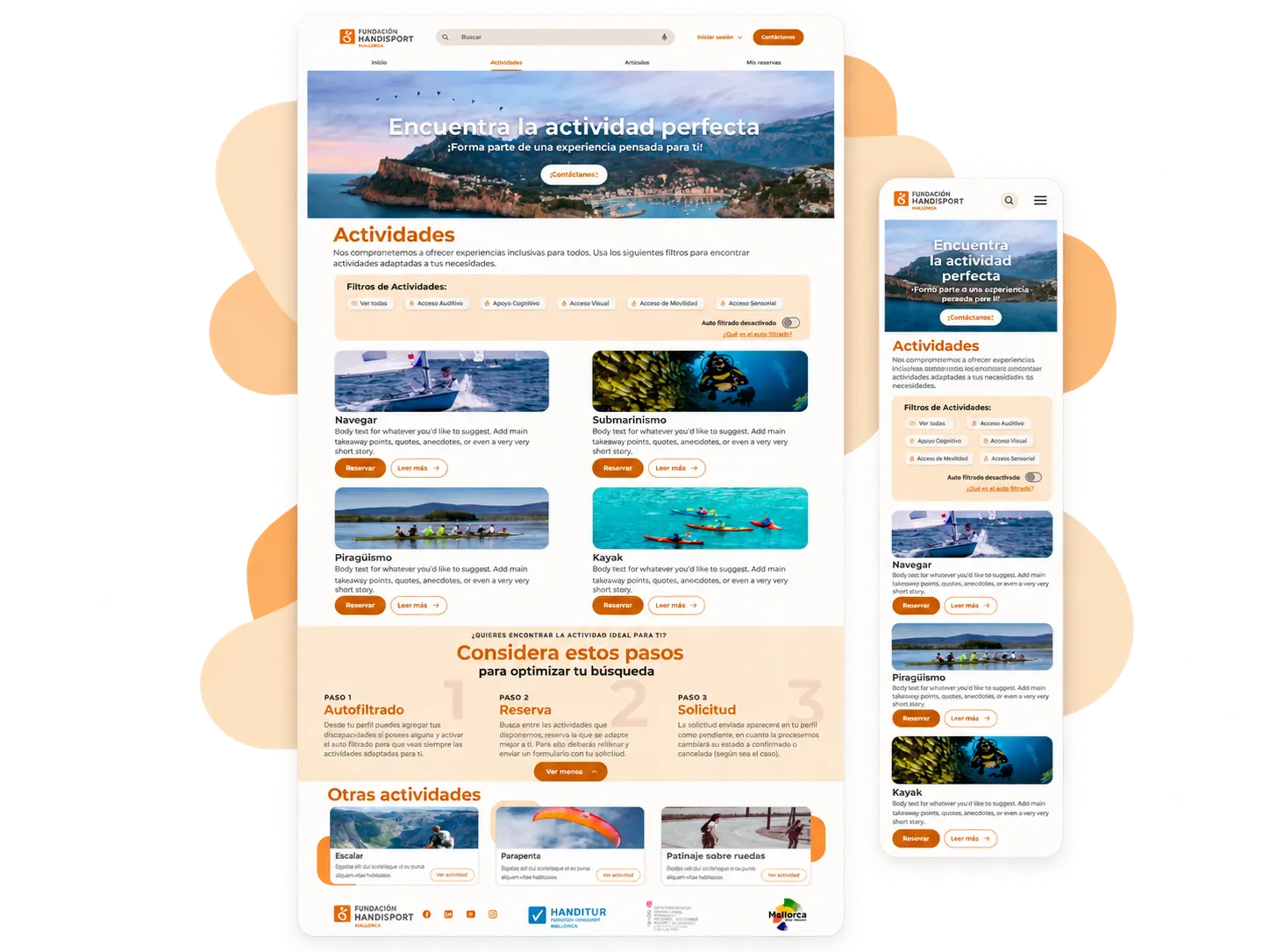
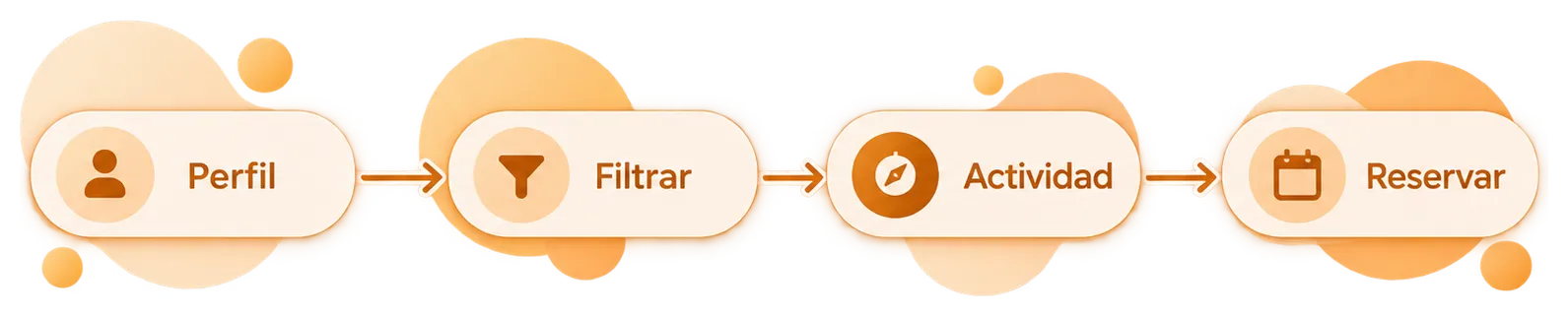
In the Activities section, I also added a small journey guide to reduce doubts:
Auto-filter , Booking , Request.
The same logic continues inside each activity. The chips show again which needs it’s adapted to before the user reaches the “Reservar mi plaza” (Book my place) CTA. That way, the activity’s compatibility stays visible throughout the journey and doesn’t depend on remembering the filter applied earlier.
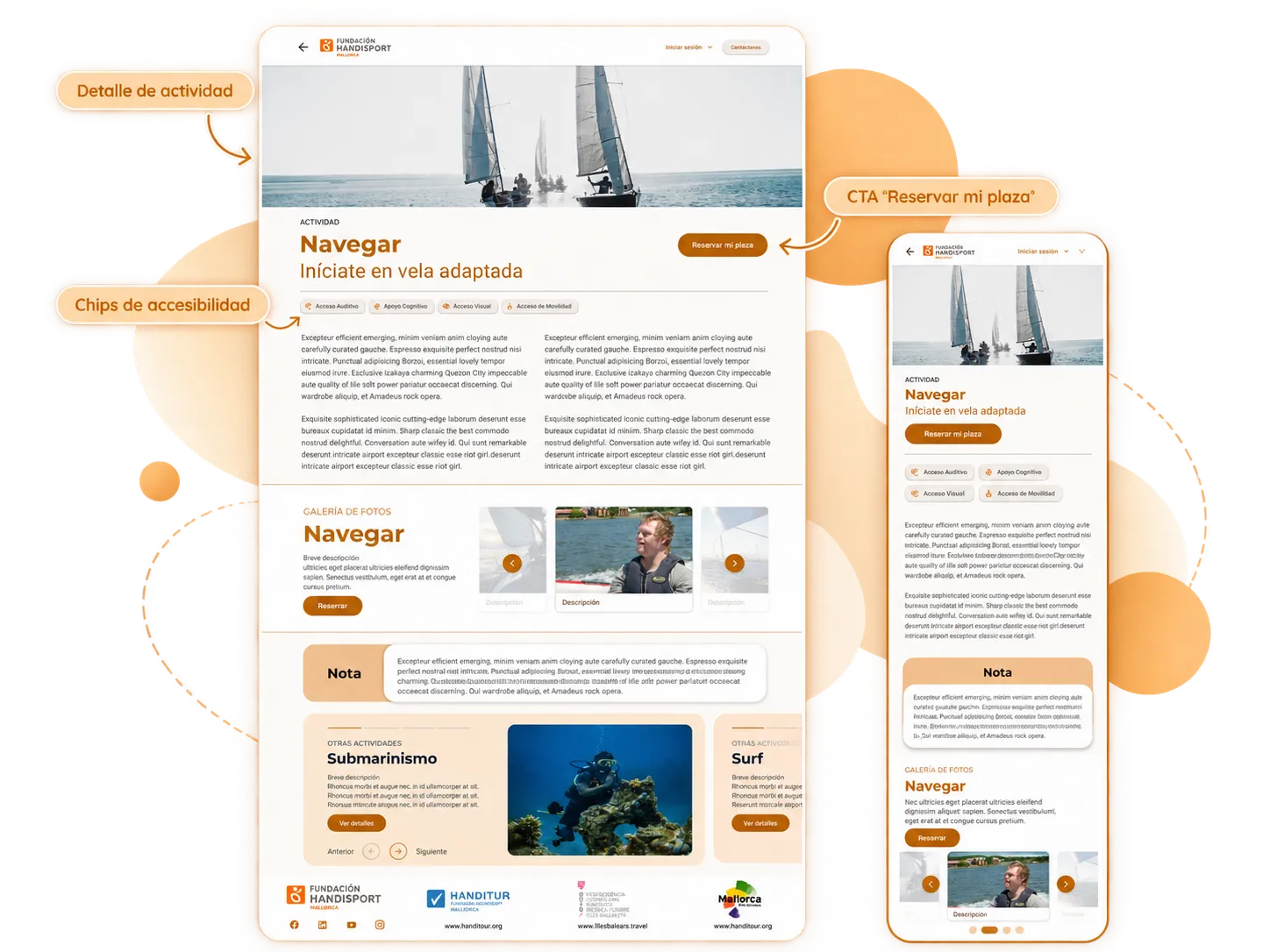
Accessibility stopped being just a feature of the activity page and became part of how content is discovered.
04 From booking to management
Designing the journey after finding the activity
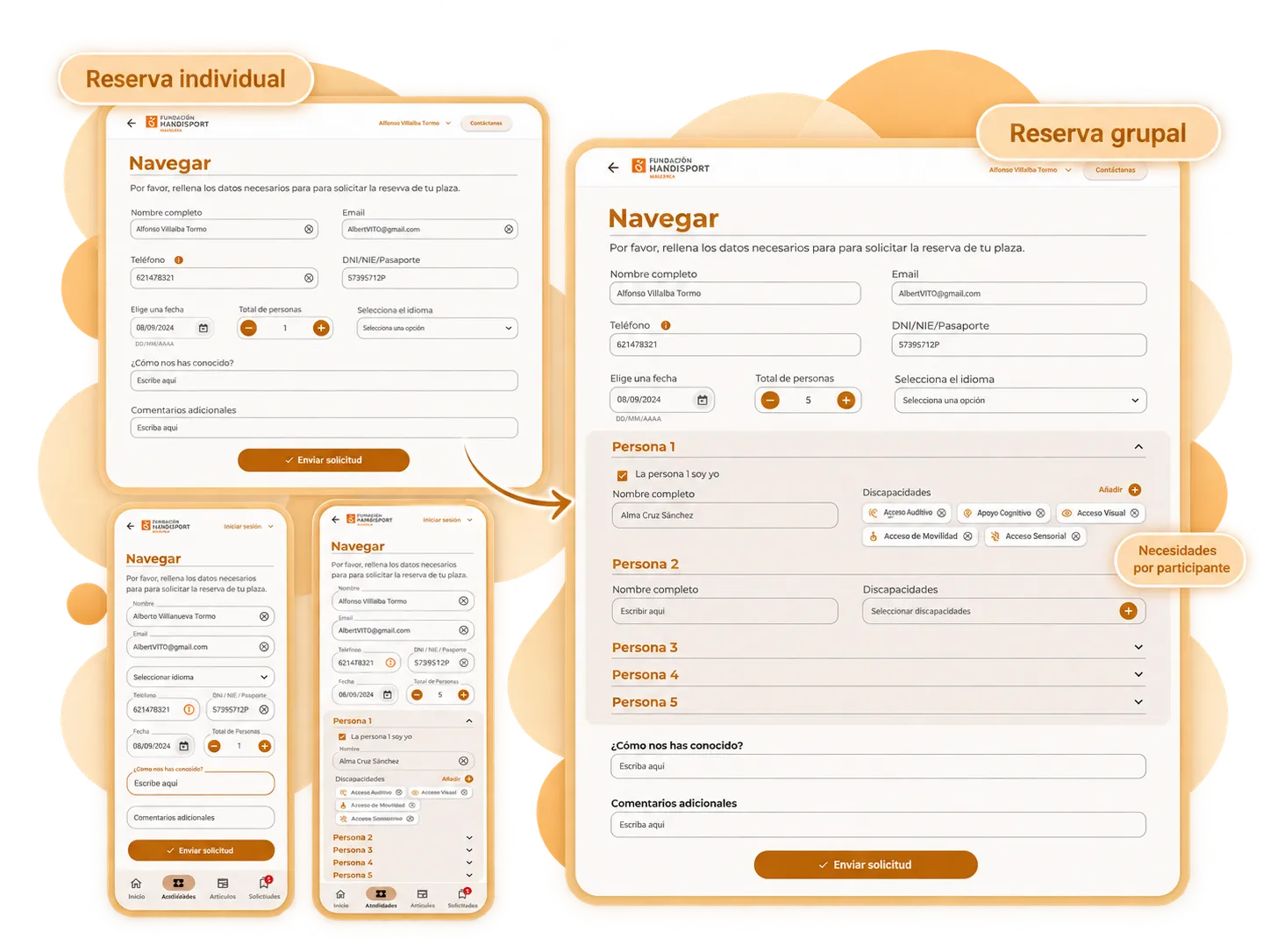
Requesting a spot didn’t always mean booking for a single person. The form also had to adapt to groups and allow each participant’s needs to be registered independently.
As the number of attendees increases, per-person blocks appear. Each one allows indicating who’s participating and what accessibility needs they have. Accordions help keep the form manageable even when the booking includes several people.
Needs don't belong only to the booking: they belong to each person taking part in it.
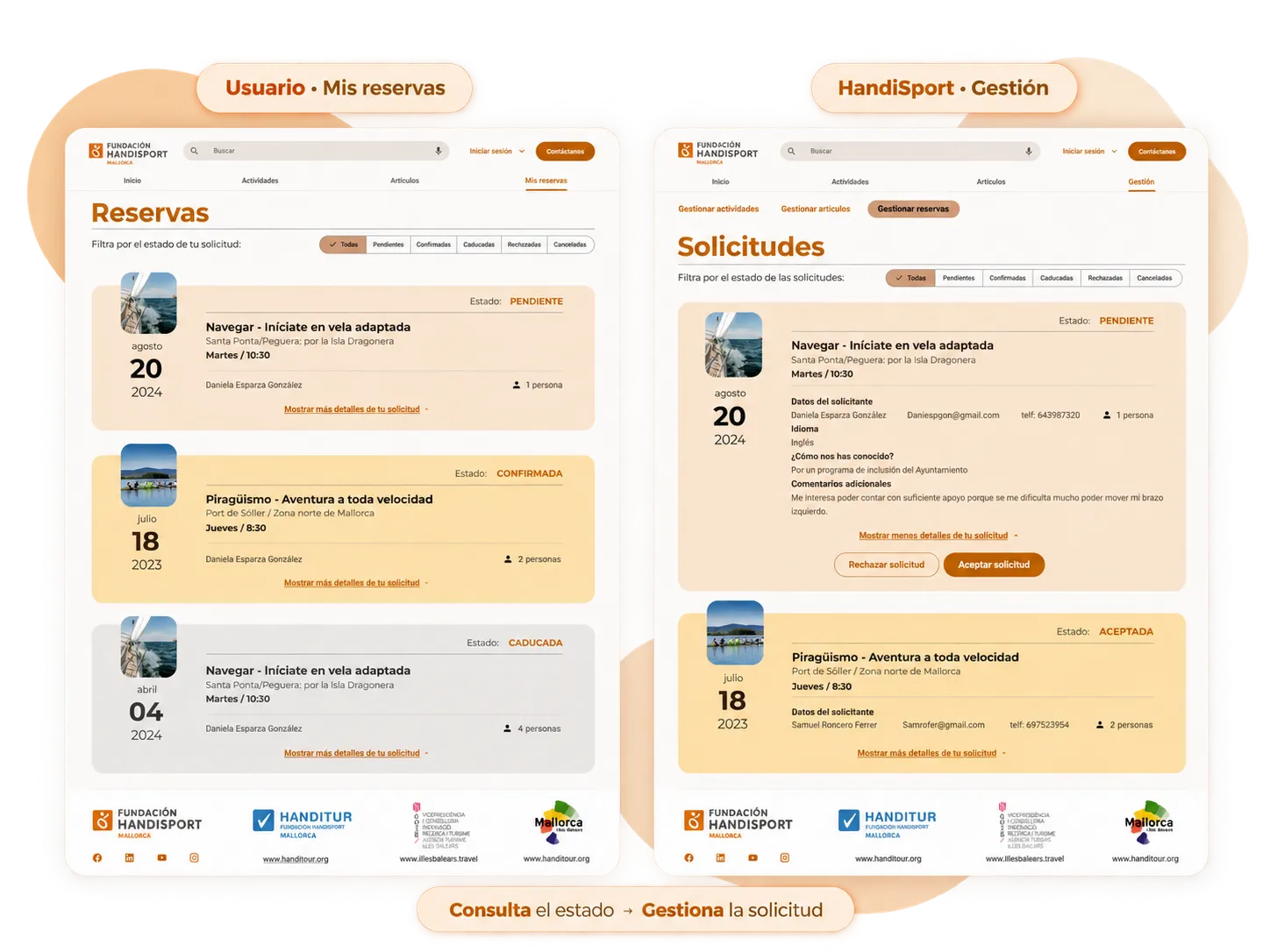
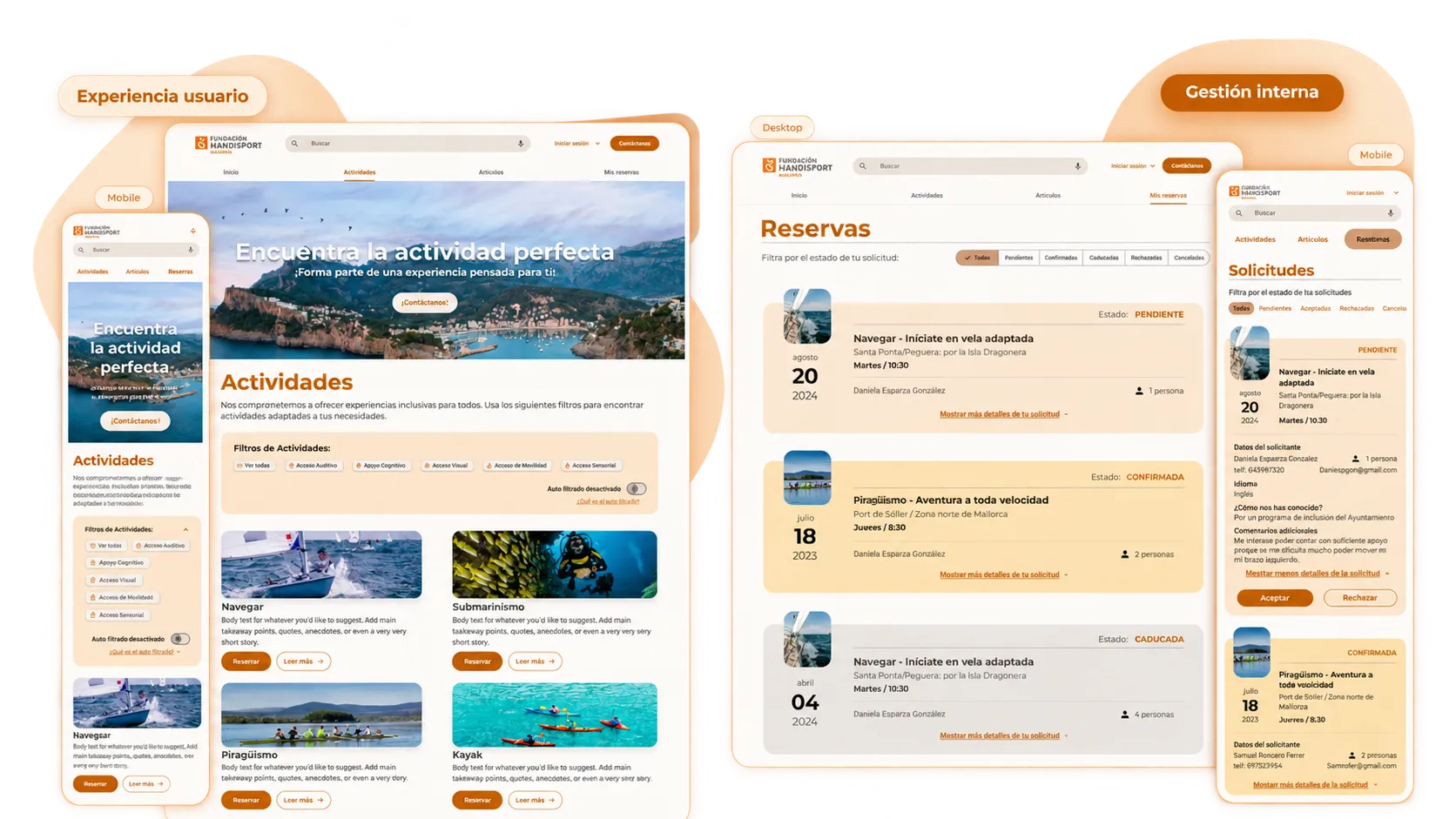
Once the request is submitted, the user can track its progress from My bookings. I designed a distinct visual hierarchy for states like Pending, Confirmed, and Expired, plus filters to access other states like Rejected or Cancelled.
The same request has a complementary view for the HandiSport team. From internal management, a pending request shows the information needed to review it and allows accepting or rejecting it.
05 Giving the team autonomy to maintain content
Designing for those who manage the platform too
The experience didn’t end on the public side. HandiSport needed tools to maintain activities, requests, and content from within the platform itself.
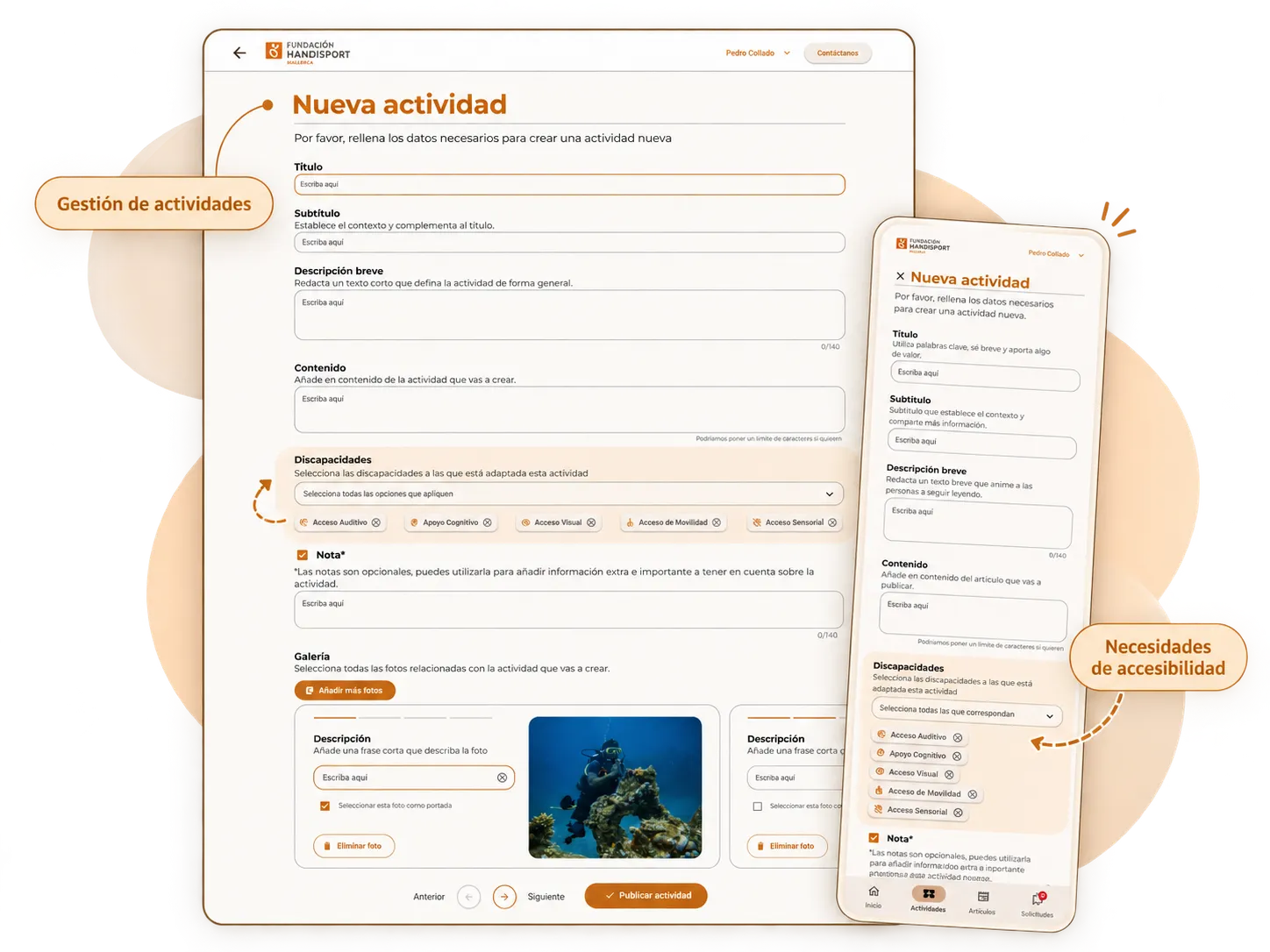
When creating an activity, the administrator can define a title, subtitle, description, content, compatible accessibility needs, notes, and gallery. Associating those needs at the moment the activity is created is what later allows them to appear as chips, filters, and auto-filtering criteria.
I also designed the article creation flow so the team could maintain editorial content from the platform. The form allows preparing a title, subtitle, short description, content, and gallery, as well as selecting a cover image and describing the pictures.
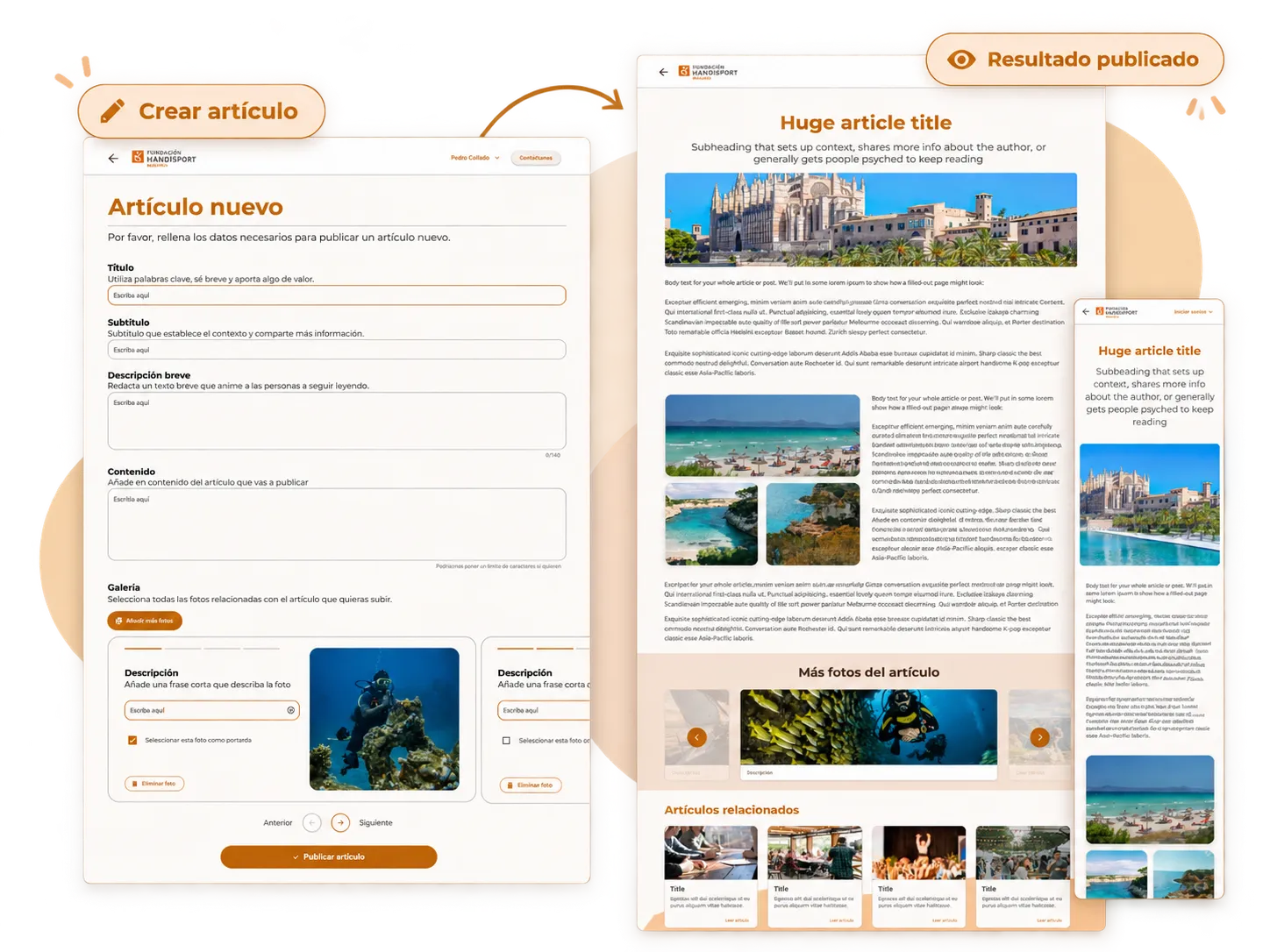
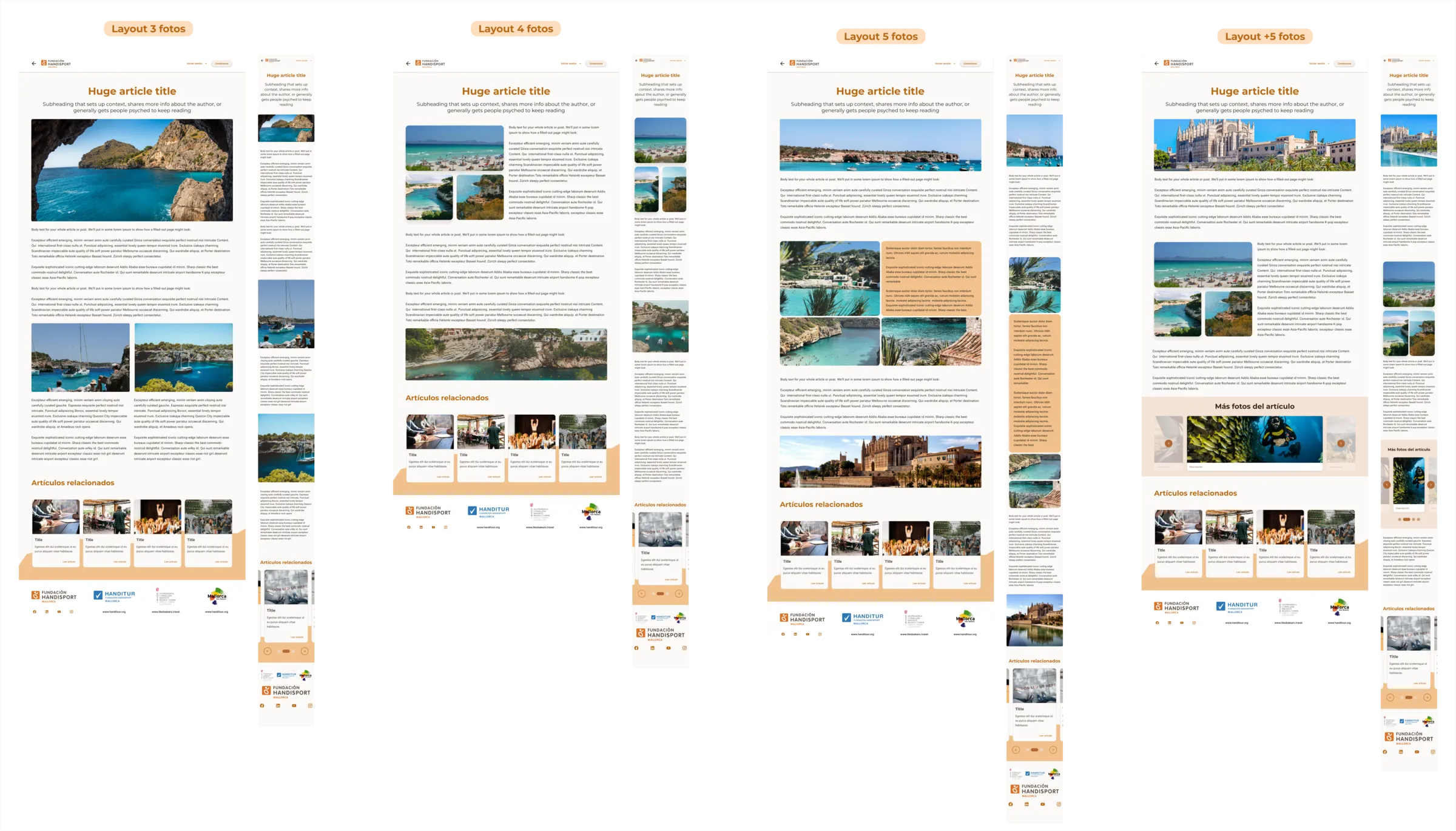
So publishing wouldn’t depend on always having the same amount of visual material, I designed four layout variants based on the number of available photographs:
3 photos · 4 photos · 5 photos · +5 photos.
Each variant reorganizes the content and keeps its mobile adaptation, so the team can publish different pieces without breaking the site’s overall consistency.
The product had to be clear for the person booking, but also easy to maintain for whoever publishes and manages the content.
06 Outcome + scope
An experience connecting users and internal management
The final design expanded the old website’s scope to cover much of the full journey: discovering activities, checking their accessibility needs, requesting spots, checking statuses, managing bookings, and maintaining activities and articles from within the platform itself.
The work was approached responsively for desktop and mobile and was developed in close collaboration with the technical team. Samuel centralized communication with HandiSport, and I worked especially closely with Daniela, on the frontend, sharing designs, visual assets, photographs, copy, and the criteria needed to turn the screens into product.
My involvement ended with the handoff of the designs. I didn’t conduct interviews or tests with real users, and I don’t have any later metrics that would let me attribute quantitative results to the redesign.
The main shift was moving from displaying information to building a journey: finding a suitable activity, requesting it, and being able to track its management within the same product.